
- 전체
- 안드로이드 플랫폼
- 아두이노
- 라즈베리 파이
- 안드로이드 ADK
- Embedded HardWare
- Embedded FirmWare
- Embedded Platform
- Embedded SoftWare
- 임베디드 리눅스
- Hobby Electronics
- 임베디드기사 - 국가기술자격
- VHDL 디지털설계
- M2M_IoT_사물지능통신
- 아마추어 로봇
- EDA - Electronic CAD
- 로봇공학
- 국가기술자격 로봇 제작 개발 자격증
- IoT (임베디드 인터넷)
라즈베리 파이 TensorFlow 1.9 Officially Supports the Raspberry Pi : 라즈베리파이에서의 공식적인 텐서플로 사용
2019.03.18 15:09
TensorFlow 1.9 Officially Supports the Raspberry Pi :
라즈베리파이에서의 공식적인 텐서플로 사용
By Pete Warden, Software Engineer
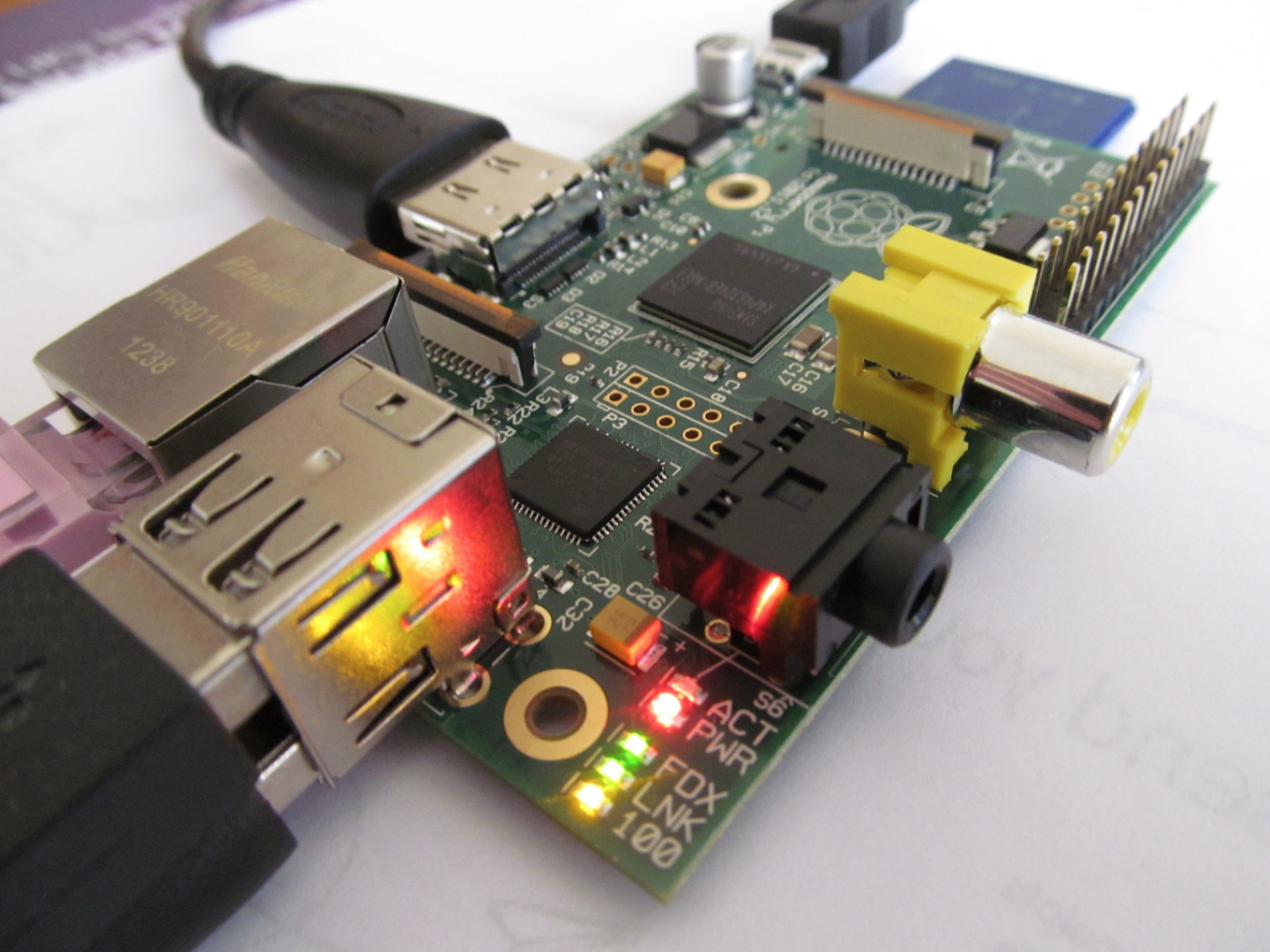
When TensorFlow was first launched in 2015, we wanted it to be an “open source machine learning framework for everyone”. To do that, we need to run on as many of the platforms that people are using as possible. We’ve long supported Linux, MacOS, Windows, iOS, and Android, but despite the heroic efforts of many contributors, running TensorFlow on a Raspberry Pi has involved a lot of work. Thanks to a collaboration with the Raspberry Pi Foundation, we’re now happy to say that the latest 1.9 release of TensorFlow can be installed from pre-built binaries using Python’s pip package system! If you’re running Raspbian 9 (stretch), you can install it by running these two commands from a terminal:
sudo apt install libatlas-base-dev
pip3 install tensorflow
You can then run python3 in a terminal, and use TensorFlow just as you would on any other platform. Here’s a simple hello world example:
# Python
import tensorflow as tf
tf.enable_eager_execution()
hello = tf.constant(‘Hello, TensorFlow!’)
print(hello)
If the system outputs the following, then you are ready to begin writing TensorFlow programs:
Hello, TensorFlow!
We’re excited about this because the Raspberry Pi is used by many innovative developers, and is also widely used in education to introduce people to programming, so making TensorFlow easier to install will help open up machine learning to new audiences. We’ve already seen platforms like DonkeyCar use TensorFlow and the Raspberry Pi to create self-driving toy cars, and we can’t wait to discover what new projects will be built now that we’ve reduced the difficulty.


Eben Upton, founder of the Raspberry Pi project, says, “It is vital that a modern computing education covers both fundamentals and forward-looking topics. With this in mind, we’re very excited to be working with Google to bring TensorFlow machine learning to the Raspberry Pi platform. We’re looking forward to seeing what fun applications kids (of all ages) create with it,” and we agree!
We’re hoping to see a lot more educational material and tutorials emerge that will help more and more people explore the possibilities of machine learning on such a cost-effective and flexible device.
[출처] https://medium.com/tensorflow/tensorflow-1-9-officially-supports-the-raspberry-pi-b91669b0aa0
광고 클릭에서 발생하는 수익금은 모두 웹사이트 서버의 유지 및 관리, 그리고 기술 콘텐츠 향상을 위해 쓰여집니다.
