
- 전체
- C/C++ 일반
- C/C++ 수학
- C/C++ 그래픽
- C/C++ 자료구조
- C/C++ 인공지능
- C/C++ 인터넷
- wxWidget
- GTK+
- UNIX or LINUX programming
- 리눅스 마스터 - 국가공인자격
- VC++/ MFC
- C#/CLI/.NET
- QT/기타UI
- Boost lib
- 오픈소스 C 분석자료
- MSA (마이크로서비스), Docker, kubernetes
- WSL(windows subsystem linux)
오픈소스 C 분석자료 [분석할 소스] microPython 마이크로 파이썬 소스
2020.10.18 01:03
[분석할 소스] microPython 마이크로 파이썬 소스
소스 다운로드 : micropython-master.zip
The MicroPython project
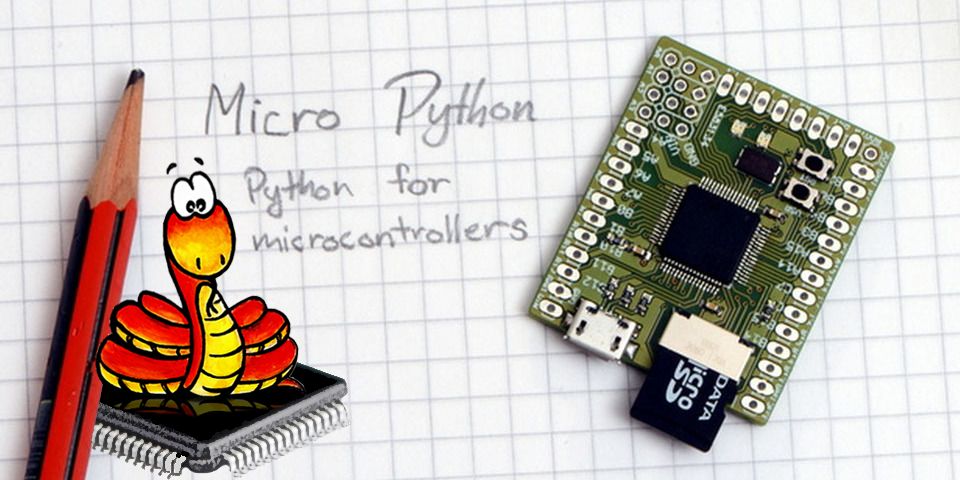
This is the MicroPython project, which aims to put an implementation of Python 3.x on microcontrollers and small embedded systems. You can find the official website at micropython.org.
WARNING: this project is in beta stage and is subject to changes of the code-base, including project-wide name changes and API changes.
MicroPython implements the entire Python 3.4 syntax (including exceptions, with, yield from, etc., and additionally async/await keywords from Python 3.5). The following core datatypes are provided: str (including basic Unicode support), bytes, bytearray, tuple, list, dict, set, frozenset, array.array, collections.namedtuple, classes and instances. Builtin modules include sys, time, and struct, etc. Select ports have support for _thread module (multithreading). Note that only a subset of Python 3 functionality is implemented for the data types and modules.
MicroPython can execute scripts in textual source form or from precompiled bytecode, in both cases either from an on-device filesystem or "frozen" into the MicroPython executable.
See the repository http://github.com/micropython/pyboard for the MicroPython board (PyBoard), the officially supported reference electronic circuit board.
Major components in this repository:
- py/ -- the core Python implementation, including compiler, runtime, and core library.
- mpy-cross/ -- the MicroPython cross-compiler which is used to turn scripts into precompiled bytecode.
- ports/unix/ -- a version of MicroPython that runs on Unix.
- ports/stm32/ -- a version of MicroPython that runs on the PyBoard and similar STM32 boards (using ST's Cube HAL drivers).
- ports/minimal/ -- a minimal MicroPython port. Start with this if you want to port MicroPython to another microcontroller.
- tests/ -- test framework and test scripts.
- docs/ -- user documentation in Sphinx reStructuredText format. Rendered HTML documentation is available at http://docs.micropython.org.
Additional components:
- ports/bare-arm/ -- a bare minimum version of MicroPython for ARM MCUs. Used mostly to control code size.
- ports/teensy/ -- a version of MicroPython that runs on the Teensy 3.1 (preliminary but functional).
- ports/pic16bit/ -- a version of MicroPython for 16-bit PIC microcontrollers.
- ports/cc3200/ -- a version of MicroPython that runs on the CC3200 from TI.
- ports/esp8266/ -- a version of MicroPython that runs on Espressif's ESP8266 SoC.
- ports/esp32/ -- a version of MicroPython that runs on Espressif's ESP32 SoC.
- ports/nrf/ -- a version of MicroPython that runs on Nordic's nRF51 and nRF52 MCUs.
- extmod/ -- additional (non-core) modules implemented in C.
- tools/ -- various tools, including the pyboard.py module.
- examples/ -- a few example Python scripts.
The subdirectories above may include READMEs with additional info.
"make" is used to build the components, or "gmake" on BSD-based systems. You will also need bash, gcc, and Python 3.3+ available as the command python3 (if your system only has Python 2.7 then invoke make with the additional option PYTHON=python2).
The MicroPython cross-compiler, mpy-cross
Most ports require the MicroPython cross-compiler to be built first. This program, called mpy-cross, is used to pre-compile Python scripts to .mpy files which can then be included (frozen) into the firmware/executable for a port. To build mpy-cross use:
$ cd mpy-cross
$ make
The Unix version
The "unix" port requires a standard Unix environment with gcc and GNU make. x86 and x64 architectures are supported (i.e. x86 32- and 64-bit), as well as ARM and MIPS. Making full-featured port to another architecture requires writing some assembly code for the exception handling and garbage collection. Alternatively, fallback implementation based on setjmp/longjmp can be used.
To build (see section below for required dependencies):
$ cd ports/unix
$ make submodules
$ make
Then to give it a try:
$ ./micropython
>>> list(5 * x + y for x in range(10) for y in [4, 2, 1])
Use CTRL-D (i.e. EOF) to exit the shell. Learn about command-line options (in particular, how to increase heap size which may be needed for larger applications):
$ ./micropython -h
Run complete testsuite:


$ make test
Unix version comes with a builtin package manager called upip, e.g.:
$ ./micropython -m upip install micropython-pystone
$ ./micropython -m pystone
Browse available modules on PyPI. Standard library modules come from micropython-lib project.
External dependencies
Building MicroPython ports may require some dependencies installed.
For Unix port, libffi library and pkg-config tool are required. On Debian/Ubuntu/Mint derivative Linux distros, install build-essential (includes toolchain and make), libffi-dev, and pkg-config packages.
Other dependencies can be built together with MicroPython. This may be required to enable extra features or capabilities, and in recent versions of MicroPython, these may be enabled by default. To build these additional dependencies, in the port directory you're interested in (e.g. ports/unix/) first execute:
$ make submodules
This will fetch all the relevant git submodules (sub repositories) that the port needs. Use the same command to get the latest versions of submodules as they are updated from time to time. After that execute:
$ make deplibs
This will build all available dependencies (regardless whether they are used or not). If you intend to build MicroPython with additional options (like cross-compiling), the same set of options should be passed to make deplibs. To actually enable/disable use of dependencies, edit ports/unix/mpconfigport.mk file, which has inline descriptions of the options. For example, to build SSL module (required for upip tool described above, and so enabled by default), MICROPY_PY_USSL should be set to 1.
For some ports, building required dependences is transparent, and happens automatically. But they still need to be fetched with the make submodules command.
The STM32 version
The "stm32" port requires an ARM compiler, arm-none-eabi-gcc, and associated bin-utils. For those using Arch Linux, you need arm-none-eabi-binutils, arm-none-eabi-gcc and arm-none-eabi-newlib packages. Otherwise, try here: https://launchpad.net/gcc-arm-embedded
To build:
$ cd ports/stm32
$ make submodules
$ make
You then need to get your board into DFU mode. On the pyboard, connect the 3V3 pin to the P1/DFU pin with a wire (on PYBv1.0 they are next to each other on the bottom left of the board, second row from the bottom).
Then to flash the code via USB DFU to your device:
$ make deploy
This will use the included tools/pydfu.py script. If flashing the firmware does not work it may be because you don't have the correct permissions, and need to use sudo make deploy. See the README.md file in the ports/stm32/ directory for further details.
Contributing
MicroPython is an open-source project and welcomes contributions. To be productive, please be sure to follow the Contributors' Guidelines and the Code Conventions. Note that MicroPython is licenced under the MIT license, and all contributions should follow this license.
[출처] https://github.com/micropython/micropython
광고 클릭에서 발생하는 수익금은 모두 웹사이트 서버의 유지 및 관리, 그리고 기술 콘텐츠 향상을 위해 쓰여집니다.
댓글 0
| 번호 | 제목 | 글쓴이 | 날짜 | 조회 수 |
|---|---|---|---|---|
| 16 |
[C/C++ 자료구조] 아스키 코드표(ASCII Table)
 | 졸리운_곰 | 2023.08.16 | 364 |
| 15 | [C 프로그래밍] 파일 출력 함수_3.연결 리스트 저장, 불러오기 | 졸리운_곰 | 2022.06.17 | 328 |
| 14 |
[C/C++ 자료구조] 5일만에 뚝딱 스크립트 언어 만들기 PGLight (1/5)
| 졸리운_곰 | 2021.04.12 | 312 |
| 13 |
[C/C++] 미니멀 가상화폐 코드 , 미니멀 블룩체인, noincoin (Block Chain in C Major)
| 졸리운_곰 | 2021.01.30 | 282 |
| 12 |
Visual Studio Community로 V8 엔진 다운로드 및 빌드하고 간단히 살펴보기
| 졸리운_곰 | 2020.11.30 | 277 |
| 11 | zlib msvc로 포팅하기 2 | 졸리운_곰 | 2018.02.23 | 361 |
| 10 | zlib msvc로 포팅하기 1 | 졸리운_곰 | 2018.02.23 | 296 |
| 9 | zlib 개요 | 졸리운_곰 | 2018.02.23 | 579 |
| 8 | [zlib] API 사용법 | 졸리운_곰 | 2018.02.23 | 509 |
| 7 | [zlib] DEFLATE algorithm (2) - Huffman coding | 졸리운_곰 | 2018.02.23 | 352 |
| 6 | [zlib] DEFLATE algorithm (1) - LZ77 | 졸리운_곰 | 2018.02.23 | 511 |
| 5 |
zlib 입문
| 졸리운_곰 | 2018.02.23 | 653 |
| 4 | [펌] zlib를 사용법 | 졸리운_곰 | 2018.02.23 | 808 |
| 3 |
Create Custom Binary File Formats for Your Game's Data
| 졸리운_곰 | 2018.02.23 | 377 |
| 2 |
GitHub - codelibs/libdxfrw: C++ library to read and write DXF/DWG files
| 졸리운_곰 | 2017.04.27 | 661 |
| 1 | C++ Json Parser 조사 | 졸리운_곰 | 2015.11.10 | 1034 |