
- 전체
- HTML
- Web Design (웹디자인)
- XE 응용 개발
- wordpress plugin dev
- Javascript & JavaScript Application
- MEAN Stack : full stack javascript
- angular js & ionic framework
- bootstrap
- WebGL, Three.js and Babylon.js
- restful api design
- mobile web
- node.js 응용
- Cloud Service 응용
- 웹 어셈블리 개발 [WASM, WebAssembly]
- 마이크로서비스, MSA (microservice architecture)
- WebGL / WebGPU
- next.js 개발
- micro frontend (마이크로프론트앤드)
- 전자상거래/쇼핑몰
- 서버 클라우드 (aws, azure, google)
WebGL, Three.js and Babylon.js JavaScript Performance Monitor
2017.08.16 22:36
stats.js
JavaScript Performance Monitor
This class provides a simple info box that will help you monitor your code performance.
- FPS Frames rendered in the last second. The higher the number the better.
- MS Milliseconds needed to render a frame. The lower the number the better.
- MB MBytes of allocated memory. (Run Chrome with
--enable-precise-memory-info) - CUSTOM User-defined panel support.
Screenshots
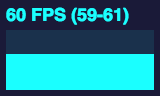
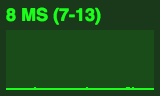
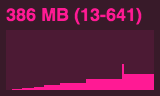
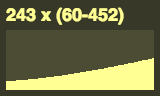
Usage
var stats = new Stats();
stats.showPanel( 1 ); // 0: fps, 1: ms, 2: mb, 3+: custom
document.body.appendChild( stats.dom );

function animate() {

	stats.begin();

	// monitored code goes here

	stats.end();

	requestAnimationFrame( animate );

}

requestAnimationFrame( animate );
Bookmarklet
You can add this code to any page using the following bookmarklet:


javascript:(function(){var script=document.createElement('script');script.onload=function(){var stats=new Stats();document
[출처] https://github.com/mrdoob/stats.js
본 웹사이트는 광고를 포함하고 있습니다.
광고 클릭에서 발생하는 수익금은 모두 웹사이트 서버의 유지 및 관리, 그리고 기술 콘텐츠 향상을 위해 쓰여집니다.
광고 클릭에서 발생하는 수익금은 모두 웹사이트 서버의 유지 및 관리, 그리고 기술 콘텐츠 향상을 위해 쓰여집니다.
댓글 0
| 번호 | 제목 | 글쓴이 | 날짜 | 조회 수 |
|---|---|---|---|---|
| 11 | [jQuery] Ajax 기본 사용법 | 졸리운_곰 | 2018.08.03 | 719 |
| 10 | jQuery selector,jQuery 셀럭터, jQuery 선택자 | 졸리운_곰 | 2018.07.29 | 731 |
| 9 |
jQuery 스타일 & 속성 다루기
 | 졸리운_곰 | 2018.07.29 | 790 |
| 8 | Force redraw on an element (jQuery) | 졸리운_곰 | 2018.07.28 | 638 |
| 7 | 자바스크립트에서 변수에 문자열이 있는지 체크 하는 방법 | 졸리운_곰 | 2018.06.05 | 775 |
| 6 | [jQuery] ajax 콜백함수에서 파라메터 패싱 : Pass variable to function in jquery AJAX success callback | 졸리운_곰 | 2018.06.05 | 443 |
| 5 | JQUERY – ON 을 알아보자 | 졸리운_곰 | 2018.06.04 | 449 |
| 4 | 동적으로 생성된 button의 값 가져오기! | 졸리운_곰 | 2018.06.04 | 785 |
| 3 |
jQuery 스타일 & 속성 다루기
| 졸리운_곰 | 2017.08.25 | 597 |
| 2 | remove-innerhtml-from-div 태그 안의 html코드 삭제 | 졸리운_곰 | 2017.07.08 | 633 |
| 1 | [jQuery] Ajax의 흐름과 예제 | 졸리운_곰 | 2017.01.17 | 632 |