
- 전체
- 게임 일반 (make game basics)
- 모바일 기획 및 디자인
- GameMaker Studio
- Unity3D
- Cocos2D
- 3D Engine OGRE
- 3D Engine irrlicht
- copperCube
- corona SDK
- Windows Basic Game
- BaaS (Mobile Backend)
- phnegap & cordova
- ionic & anguler
- parse (backend)
- firebase (backend)
- Game Backend Server / Opt
- web assembly
- Smart Makers
- pyGame & Ren'Py
- 머드(MUD) 게임 만들기
- Xamarin(자마린)
- flutter (플루터 앱 개발)
- construct 2 / 3
- pocketbase
- RPG Maker 시리즈
- godot engine
- playmaker(unity)
- react native
[GameMaker Studio] Neural Network in Game Maker Studio – part 4
What makes the “learning” in machine learning is training. Now that we created a neural net, it is time to code the training part.
In order to train our neural network, we are going to use genetic algorithm. This is the easiest way to train our agents. Initially, we only have to create multiple instances of the arrow head object, our agent, with random weights. We’ll test it and select the one with the highest fitness (which output is the closest to what’s desired), copy it’s DNA – it’s weights and bias – to other instances, and then mutate every children.
Fitness
So, how are we going to choose which agent has the best DNA? That’s where fitness comes in.
Fitness is the determinant of which agent performs closest to the desired output. Agent with highest fitness will be cloned and mutated. This process will be repeated until an agent reach the most optimal performance our neural net can reach.
For every problem, there are different ways to compute the fitness. Fitness is an important factor in our neural net’s performance. It is necessary that the fitness calculation can determine which agent is performing the best out of the population.
User Event 0
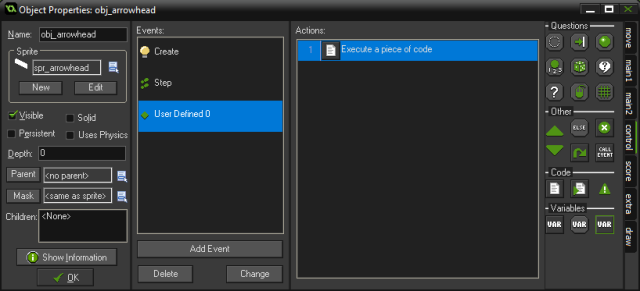
Write the code below on the user event 0. This code will calculate the fitness of an agent based on its average distance to the target.
///Compute Fitness

agent_score += -distance_to_object(obj_target);
point_in_time += 1;

fitness = agent_score/point_in_time;
Alarm 0
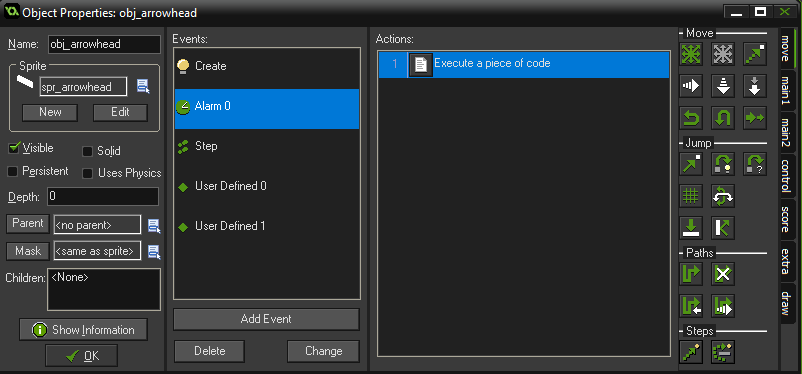
The purpose of the alarm event is to create a delay between each check instead of checking every frame.
///Delay compute fitness
event_user(0);
alarm[0] = 5;
Create Event
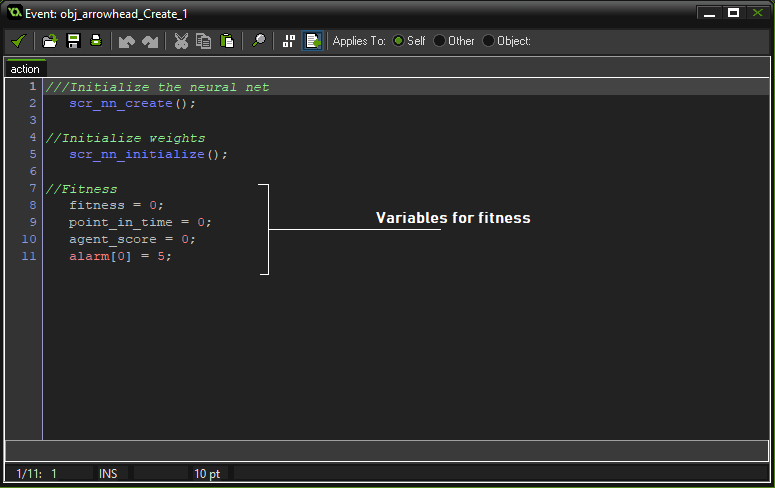
Mutate Script
The mutate script will mutate the parameter ‘x’ by some certain rate and return a mutated value.
///mutate(x, rate)

//Init
    var _val = argument0;
    var _rate = argument1;
    var _chance = irandom(100);

//Randomize
    if(_chance < 10*_rate){              //Flip sign
        _val *= -1;
    } else if(_chance < 20*_rate){       //Reroll
        _val = random_range(-1, 1);
    } else if(_chance < 45*_rate){      //Increase(0% to 100%)
        _val = random_range(_val, _val*2);
    } else if(_chance < 70*_rate){      //Decrease(0% to 100%)
        _val = random_range(0, _val);
    }

//Return Val
    return(_val);
Mutation
User Event 1
On the agent’s user event 1
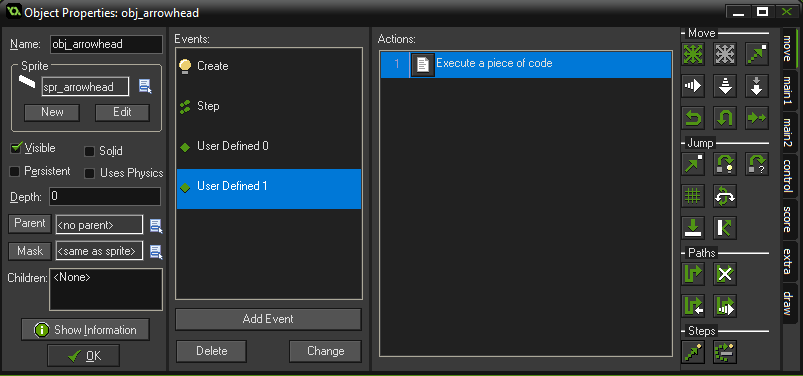
///Mutate
//Mutate neuron weights
    for(var j=0; j<array_height_2d(weights) ; j++){
        for(var k=0; k<array_length_2d(weights, j); k++){
            weights[j,k] = mutate(weights[j,k], 0.4);
        }
    }

//Mutate output weights
    for(var j=0; j<array_height_2d(output_weights) ; j++){
        for(var k=0; k<array_length_2d(output_weights, j); k++){
            output_weights[j,k] = mutate(output_weights[j,k], 0.4);
        }
    }
When mutating, we either increase/decrease the value, flip the sign, or randomize it. But do take in mind that we won’t be changing all the weights and biases. There is only a small chances that a weight or a bias will be mutated.
Resetting the Agent
The remaining thing to do is to add a user event to reset the position and other variables of our agents . This will be executed after training; To test the neural net once again.
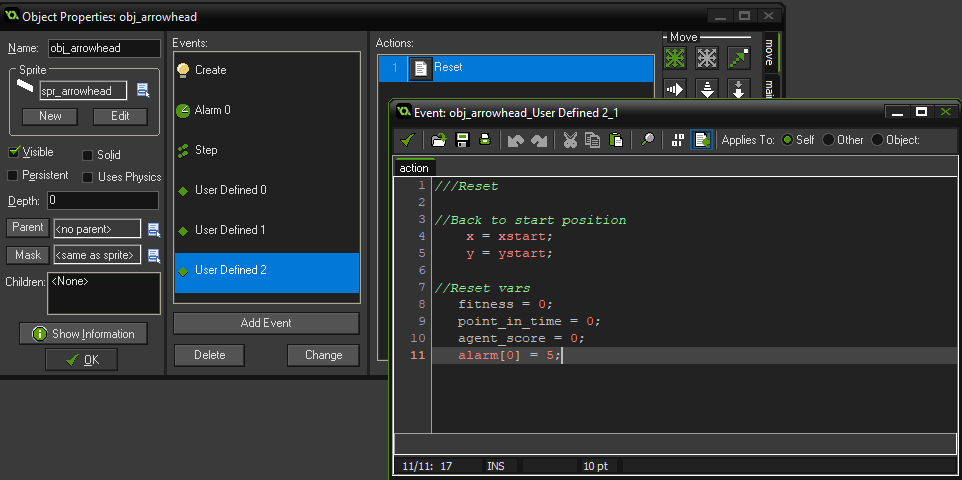
///Reset

//Back to start position
    x = xstart;
    y = ystart;

//Reset Vars
    fitness = 0;
    point_in_time = 0;
    agent_score = 0;
    alarm[0] = 5;
Training
Open our neural net main controller object obj_nn_main
User Event 0
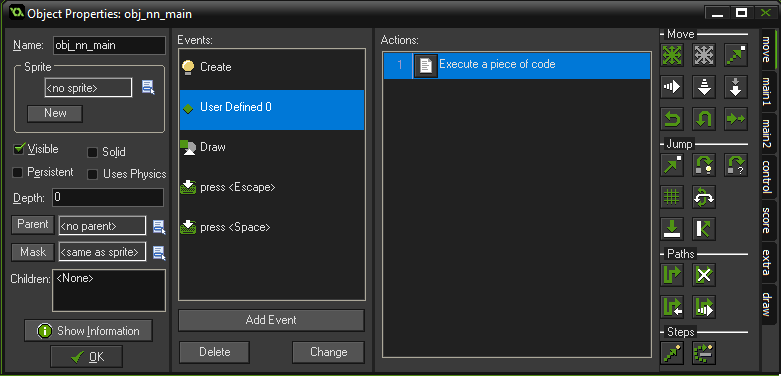
///Train

//Search for fittest agent
    var _fittest = noone;   //Agent that has highest fitness score
    var _fitness = -99999;  //Fitness score of the most fit agent

    with(obj_arrowhead){
        //If current instance has higher fitness than remembered instance
        if(fitness > _fitness){
            _fittest = id;
            _fitness = fitness;
        }
    }

//Copy weights and biases
    var _weights;
    var _bias;
    var _output_weights;
    var _output_bias;

    //Save DNA for future use
    with(_fittest){
        _weights = weights;
        _bias = bias;
        _output_weights = output_weights;
        _output_bias = output_bias;
    }

    with(obj_arrowhead){
        if(id != _fittest){
            //Copy DNA
            weights = _weights;
            bias = _bias;
            output_weights = _output_weights;
            output_bias = _output_bias;

            //Mutate
            event_user(1);
        }
        //Reset
        event_user(2);
    }
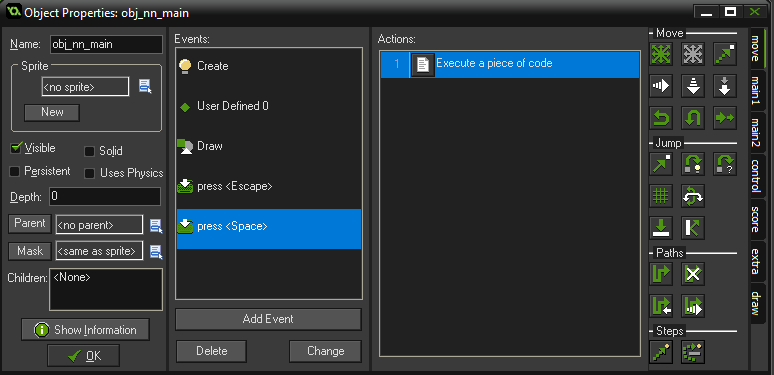
Train on keypress
Aside on using key press to train our agents, we can also use an alarm to train our agents after every delay. But for simplicity, we will train our them on key press.
Keyboard press event for <Spacebar>
///Train
event_user(0);
Show Fitness
This part is optional, but this can help you to see which of the agent is performing well, and can make debugging easier.


///Draw fitness
draw_set_colour(c_lime);
with(obj_arrowhead){
    draw_text(x, y, fitness);
}
We are done
Run the game and see how your neural net performs.
If your neural net behaves like the example below. You successfully created your first neural net. It is now time to use the neural net for more complex task.
After quite some time building a machine learning algorithm
, it is the time to make a use out of it. This time, ideas and information will come from you. Share your creation! Feel free to comment a link or a snapshot about how you used this machine learning algorithm.
Want to learn more about this topic? Give me a nudge or write a comment about what topic you want to tackle next. Until next post. Cheers!
[출처] https://highleapstudios.wordpress.com/2019/10/12/neural-network-in-game-maker-studio-4/
광고 클릭에서 발생하는 수익금은 모두 웹사이트 서버의 유지 및 관리, 그리고 기술 콘텐츠 향상을 위해 쓰여집니다.
