

Confession: I’m amazed at the authoring experience that WordPress provides. Users are productive from the first hour and UI doesn’t get in their way. The story is similar for developers, if you stay inside the world of theme development. Try to do anymore complex and with tests, and it gets complicated. That is where (micro)service oriented architecture can help us.
At the Open Education Consortium, we use a mix of all the different approaches.
1. Let the WordPress call external API’s
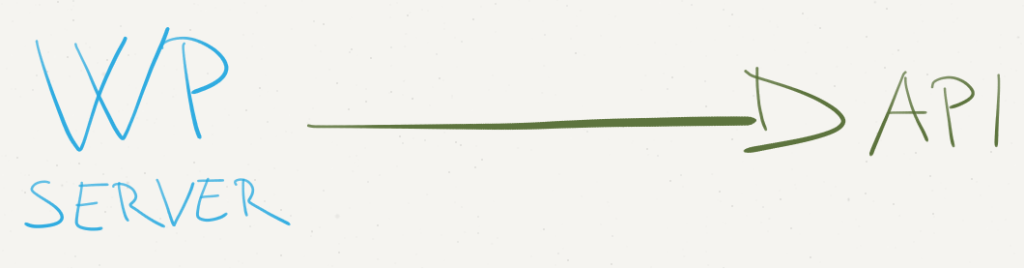
At OEC, we provide functionality of Course search. While I could build it inside WordPress, it wouldn’t be optimal. I’ve developed it in Django with REST Framework. We get API Documentation for free and our Main WordPress site is using the same calls as everyone else.
To call an external API, you’ll need to extend template_redirect, init,
and query_vars actions and filters.
This way, you can format output inside your WordPress theme.
2. Let the Javascript call external API’s

This is not strictly WordPress, but it solves the other half of the problems you might have. If you don’t need to have output visible to Search Engines, you can render it with JavaScript. In one example, we’re showing a map of where our members are. We have a separate portal, where members can edit their contact information.
On WordPress side, Leaflet library calls the GeoJSON endpoint and displays it on the map. The data is always up to date and we’re using the best tool for the job.
This portal then exposes GeoJSON API, that Leaflet then displays.


3. Embed your WordPress output

For our Directory feature, I needed a flexible membership system. I ended writing it in Django with Solr. Django provides powerful form editing, that I didn’t want to replicate inside WordPress.
What I ended doing, is that I exposed API from WordPress with header and footer HTML. That way Django can just include 3rd party content. It also simplifies keeping the themes in sync.
I could do it using iframes, but then I would have problems with urls and the size of iframe content.
There is also a possibility for a future upgrade. Because we’re running on the same domain, we can read cookies from WordPress. This would allow us to check if user is logged into WP Dashboard and elevate their privilages inside Django app.
Conclusion
Modern Web applications are moving away from monolithic, one size fits all, solutions. While it’s common to see such infrastructure in the backend, it’s time that we start embracing it also on user facing sites. I wish some of the infrastructure inside WordPress, would make it easier, but I guess that’s an opportunity for a new library.
[출처] https://www.jurecuhalev.com/blog/2015/07/14/how-to-super-charge-your-wordpress-with-microservices/
