
- 전체
- Sample DB
- database modeling
- [표준 SQL] Standard SQL
- G-SQL
- 10-Min
- ORACLE
- MS SQLserver
- MySQL
- SQLite
- postgreSQL
- 데이터아키텍처전문가 - 국가공인자격
- 데이터 분석 전문가 [ADP]
- [국가공인] SQL 개발자/전문가
- NoSQL
- hadoop
- hadoop eco system
- big data (빅데이터)
- stat(통계) R 언어
- XML DB & XQuery
- spark
- DataBase Tool
- 데이터분석 & 데이터사이언스
- Engineer Quality Management
- [기계학습] machine learning
- 데이터 수집 및 전처리
- 국가기술자격 빅데이터분석기사
- 암호화폐 (비트코인, cryptocurrency, bitcoin)
데이터분석 & 데이터사이언스 [데이터사이언스] 데이터 과학자를위한 3 가지 훌륭한 디자인 패턴, 3 Great Design Patterns for Data Scientists
2021.03.04 22:32
데이터 과학자를위한 3 가지 훌륭한 디자인 패턴
더 나은 데이터 과학 코드를 작성하는 방법을 배우고 싶으십니까? 디자인 패턴을 사용하여 깨끗하고 유지 관리 가능하며 테스트 가능한 코드를 작성하십시오.

소개
데이터 과학자로서 코드를 작성할 때 목표는 작업을 빠르게 작성하여 너무 멀어지기 전에 어떤 것이 좋은 아이디어인지 여부를 확인할 수 있도록하는 것입니다. 아무도 그것이 쓰레기라는 것을 알기 위해 프로젝트에 몇 달을 보내는 것을 좋아하지 않습니다.
따라서 프로토 타이핑시 가능한 한 빨리 코드를 작성합니다. 하지만 지금 당장 작동하는 코드가 더 이상 코드를 자르지 않고 코드가 더 강력하고 유지 관리 가능해야 할 때 어떻게 될까요? 이것은 디자인 패턴이 유용한 곳입니다.

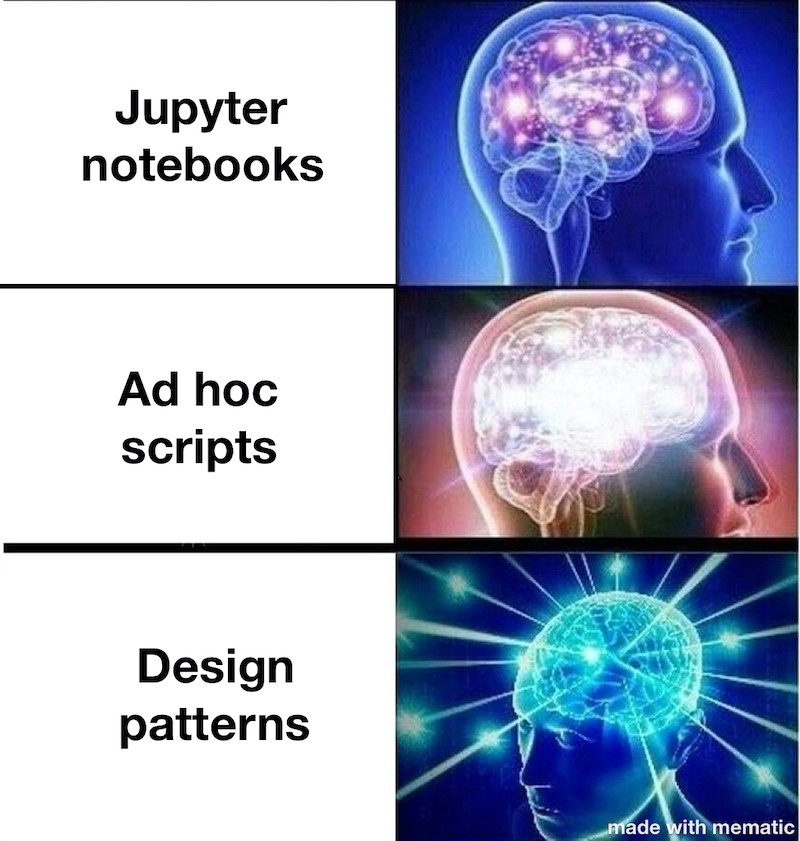
디자인 패턴이란 무엇입니까?
내가 말하면 마에 단순히 디자인 패턴은 소프트웨어를 작성하는 일반적인 문제에 대한 일반적인 솔루션입니다. 그것들을 그렇게 훌륭하게 만드는 것은 그것들이 보편적으로 적용 가능하다는 것입니다. 그러나 그것들을 어떻게 적용해야하는지 알아야합니다. 여기서 몇 가지 일반적인 디자인 패턴에 대해 자세히 알아볼 수 있습니다 .
디자인 패턴을 사용하는 이유는 무엇입니까?
나는 그들을 사용하는 것을 좋아하는 몇 가지 이유를 생각할 수 있습니다.
- 코딩하는 동안인지 부하 감소
- 디버깅 시간 단축
- 코드는 훨씬 더 테스트 가능합니다.
- 재사용 가능한 도구를 더 쉽게 구축
따라서 더 이상 고민하지 않고 데이터 과학 워크 플로를위한 3 가지 훌륭한 디자인 패턴을 살펴 보겠습니다.
1. 빌더 패턴
뭐야?
빌더 패턴은 복잡한 개체를 만드는 유연한 방법입니다. 특히 이러한 개체가 많은 유사점을 공유하지만 많은 선택적 매개 변수가있는 경우에 그렇습니다. 빌더 패턴은 객체 자체에서 객체 생성 로직을 가져와 대신에 종종 메소드 체인 기술 을 사용하여 즉석에서 객체에 대한 관련 속성을 생성 합니다. 메서드 체인을 활성화하는 핵심은 원하는 개체를 빌드하는 데 사용 된 메서드에서 개체 자체를 반환하여 연결된 메서드가 동일한 개체를 수정할 수 있도록하는 것입니다.
예 : SQL 쿼리 생성
저는 매일 수많은 SQL 쿼리를 작성했으며 대부분의 쿼리와 구조가 유사하다는 것을 발견했습니다. 그러나 수동으로 작성하면 오류가 발생하기 쉽고 많은 중복 코드가 생성됩니다. 따라서 수십 개의 개별 쿼리를 작성하는 대신 빌더 패턴을 사용하여 쿼리를 생성합니다. 이것은 또한 중첩 된 select 문과 여러 조인을 사용하여 크고 불쾌한 쿼리를 작성할 때 유용합니다.이 경우 잡초에서 길을 잃고 쿼리를 직접 작성할 때 실수를하기 쉽습니다. 이 방법은 쉽게 테스트 할 수 있지만 SQL 쿼리를 직접 작성하는 것은 테스트하기가 더 어렵습니다.
이 패턴이 어떻게 유용 할 수 있는지 설명하기 위해 간단한 쿼리 작성기를 작성해 보겠습니다.
먼저 튜플을 선택할 기본 테이블로 빌더를 초기화합니다. 그런 다음 필요에 따라 선택할 열, '그룹 별'절, 조인 및 '위치'절을 추가 할 수 있습니다. 이것은 단순한“SELECT * FROM foo”유형의 쿼리에는 과잉이지만 이러한 빌딩 블록을 사용하면 점점 더 복잡한 쿼리를 쉽게 작성할 수 있습니다.
다음은 빌더 패턴을 사용하여 간단한 SQL 쿼리 생성기를 만드는 예입니다.
     def __init__(self):
          self.select_value = ''
          self.from_table_name = ''
          self.where_value = ''
          self.groupby_value = ''

     def select(self, select_arg):
          self.select_value = select_arg
          return self

     def from_table(self, from_arg):
          self.from_table_name = from_arg
          return self

     def where(self, where_arg):
          self.where_value = where_arg
          return self

     def groupby(self, groupby_args):
          self.groupby_value = groupby_args
          return self

     def build(self):
          if self.where_value:
               where_clause = f'WHERE {self.where_value}'
          if self.groupby_value:
               groupby_clause = f'GROUP BY {self.groupby_value}'

          return f"""
               SELECT {self.select_value}
               FROM {self.from_table_name}
               {where_clause}
               {groupby_clause}
          """

# Simple builder pattern example for building queries
query = QueryBuilder()
query.select('Customer, Region, SUM(SaleValue)') \
     .from_table('Sales') \

     # Optional - add where and groupby clauses.
     # Object construction can easily be either simple or complex
query.where('DATEDIFF(day, TimeStamp, CURRENT_TIMESTAMP) < 180') \
     .groupby('Customer, Region')

# Builder pattern collects the optional arguments and builds the actual SQL text
query_text = query.build()

"""
query_text value:
SELECT Customer, Region, SUM(SaleValue)
FROM Sales
WHERE DATEDIFF(day, TimeStamp, CURRENT_TIMESTAMP) < 180
GROUP BY Customer, Region
"""
2. 의존성 주입
뭐야?
가장 간단한 형태로 의존성 주입은 의존하는 것을 인수로 삽입하는 것입니다. 사용할 데이터베이스 클래스를 모르십니까? 함수는 데이터베이스 클래스가 작동하는 방식을 알 필요가 없습니다. 데이터베이스 클래스 인스턴스를 인수로 전달하면 유지 관리가 더 쉬워집니다. 동일한 인터페이스를 따르는 모든 종류의 데이터베이스 클래스를 사용할 수 있습니다.
종속성 주입을 사용하지 않으면 데이터베이스 클래스와 같은 중요한 인프라를 유지 관리하는 데 훨씬 더 많은 시간이 걸립니다.
의존성 주입을 사용하는 또 다른 큰 이점은 코드가 테스트를 작성하기가 훨씬 쉽다는 것입니다. 예를 들어 HTTP 요청을 실행하고 테스트 속도를 늦추는 코드를 사용하지 않고 모의 클래스 (예 : 모의 데이터베이스 클래스)를 작성하고 테스트에서 사용하십시오.
예 : 데이터베이스 클래스
우리 팀은 SQL Server와 Cosmos DB 및 기타 데이터 원본을 모두 사용합니다. 데이터베이스 클래스를 인수로 전달하면 서로 다른 데이터베이스를 서로 다른 아이디어로 쉽게 교체 할 수 있으며 데이터베이스 클래스는 모의하기 쉽기 때문에 테스트 가능한 코드를 훨씬 쉽게 작성할 수 있습니다.
다음은 종속성 주입을 사용하는 간단한 예입니다.
# Don't do this
def get_data_bad(query_text):
    db = SQLDB()
    return db.get(query_text)

# What if you need to use a DocDB instance? Or a DynamoDB instance?
# Do this instead
def get_data(db, query_text):
    return db.get(query_text)

# Example
sqldb = SQLDB()
query = 'SELECT * FROM Foo'
data = get_data(sqldb, query)

# Or, if you need to use DocDB instead, you don't need to change your original get_data method
docdb = DocDB()
query = 'SELECT c.* FROM c'
data = get_data(docdb, query)
3. 데코레이터 패턴
뭐야?
데코레이터 패턴은 함수 전후에 무언가를하고 싶지만 함수 자체를 수정하고 싶지 않을 때 유용합니다. 기본적으로 여러분이하고있는 일은 함수가 실행되기 전에 어떤 상태를 캡처 한 다음 완료된 후 어떤 상태를 캡처하는 것입니다. 같은 방식으로 수정할 함수가 수십 개 있지만 개별적으로 변경할 여유가 없을 때 이는 매우 분명해집니다.
예 : 함수 메타 데이터 로깅
내가 유용하다고 생각한 것은 함수가 실행되는 시간, 함수의 이름, 때로는 출력에 대한 다른 기능입니다. 고맙게도 Python 함수는 객체이므로이 패턴에 '@'데코레이터 구문을 사용할 수 있습니다. 내부 함수를 래핑하는 함수를 생성 한 다음 데코레이션하려는 함수 앞에 @my_decorator_name 데코레이터를 배치하기 만하면됩니다.
평범한 영어로 설명하는 것보다 예를 보는 것이 더 쉽습니다. :)
파이썬에서 데코레이터가 작동하는 방식에 대해 너무 깊이 이해하지는 않겠지 만 RealPython은 입문서로 강력히 추천 하는 훌륭한 기사를 가지고 있습니다.
종속성 주입 예제의 일부 코드를 재사용하면 데이터베이스 트랜잭션에 걸리는 시간을 측정 할 수 있습니다.
from time import time

def log_time(func):
    """Logs the time it took for func to execute"""
    def wrapper(*args, **kwargs):
        start = time()
        val = func(*args, **kwargs)
        end = time()
        duration = end - start
        print(f'{func.__name__} took {duration} seconds to run')
        return val
    return wrapper

# Example usage
@log_time
def get_data(db, query):
    """Gets data from a SQL-based database"""
    data = db.get(query)
    return data

if __name__ == '__main__':
    # Decorated function will print 'get_data took X seconds to run'
    db = SQLDB()
    query = 'SELECT * FROM foo'
    data = get_data(db, query)
합치기
디자인 패턴은 매우 재사용 가능한 코드를 만들고, 데이터 과학자로서 작업을 훨씬 쉽게 만들기 위해 빌딩 블록과 같은 조각을 모을 수 있습니다. 예를 들어, 이러한 세 가지 패턴을 모두 결합하여 데이터베이스에 쿼리를 작성하고 최적화가 필요한지 확인하기 위해 쿼리에 소요 된 시간을 확인합니다.
결론
이 기사에서는보다 강력하고 유지 관리가 쉬운 코드를 위해 데이터 과학자로서 디자인 패턴을 사용하는 세 가지 방법을 보여주었습니다. 데이터 과학에서 디자인 패턴을 사용하면 코드 품질이 향상되고 유지 관리가 쉬워지며 결과를 재현하고 공유하기가 더 쉬워집니다.
[출처] https://towardsdatascience.com/3-great-design-patterns-for-data-science-workflows-d3bf162d74e6
3 Great Design Patterns for Data Scientists
Want to learn how to write better data science code? Use design patterns to write clean, maintainable, testable code.
Introduction
When writing code as a data scientist, your goal is often to write things quickly so that you can vet whether or not something is a good idea before you get too far down the road. Nobody likes to spend months working on a project only to find out that it’s garbage.


So you write your code as quickly as possible when prototyping. But what happens when your just-get-it-working-for-now code isn’t cutting it anymore, and your code needs to be more robust and maintainable? This is where design patterns come in handy.
What are design patterns?
To put it simply, design patterns are common solutions to common problems when writing software. What makes them so great is that they’re so universally applicable, but you have to know how to apply them. You can learn more in-depth about some common design patterns here.
Why use design patterns?
I can think of a couple of reasons that I love using them.
- Reduce cognitive load while coding
- Spend less time debugging
- Code is much more testable
- Easier to build reusable tools
So, without further ado, let’s get into 3 great design patterns for data science workflows.
1. The Builder Pattern
What is it?
The builder pattern is a flexible way of creating complex objects, especially when these objects share a lot of similarities but have a lot of optional parameters. The builder pattern takes the object construction logic out of the object itself, and instead creates relevant properties for the object on the fly — often by using the method chaining technique. The key to enabling method chaining is to return the object itself from methods used to build the object you want, so that chained methods can modify the same object.
Example: Generating SQL queries
I write a ton of SQL queries day to day, and found that there’s a lot of similarity in structure to most of my queries. However, writing them by hand is a fairly error-prone process and creates a lot of duplicated code. So rather than writing dozens of individual queries, I use the builder pattern to generate queries for me. This also comes in handy a lot when I write big, nasty queries with nested select statements and multiple joins, where it’s easy to get lost in the weeds and make mistakes when writing queries by hand. Not to mention this method is easily testable, whereas writing SQL queries by hand is harder to test!
Let’s write a simple query builder to illustrate how this pattern can be useful.
I first initialize the builder with the base table from which I’ll be selecting tuples. Then I can add columns to select, ‘group by’ clauses, joins, and ‘where’ clauses as I need them. This is overkill for a simple “SELECT * FROM foo” type of query, but these building blocks make it easier to build more and more complex queries.
Here’s an example of using the builder pattern to make a simple SQL query generator:
class QueryBuilder:
     def __init__(self):
          self.select_value = ''
          self.from_table_name = ''
          self.where_value = ''
          self.groupby_value = ''

     def select(self, select_arg):
          self.select_value = select_arg
          return self

     def from_table(self, from_arg):
          self.from_table_name = from_arg
          return self

     def where(self, where_arg):
          self.where_value = where_arg
          return self

     def groupby(self, groupby_args):
          self.groupby_value = groupby_args
          return self

     def build(self):
          if self.where_value:
               where_clause = f'WHERE {self.where_value}'
          if self.groupby_value:
               groupby_clause = f'GROUP BY {self.groupby_value}'

          return f"""
               SELECT {self.select_value}
               FROM {self.from_table_name}
               {where_clause}
               {groupby_clause}
          """

# Simple builder pattern example for building queries
query = QueryBuilder()
query.select('Customer, Region, SUM(SaleValue)') \
     .from_table('Sales') \

     # Optional - add where and groupby clauses.
     # Object construction can easily be either simple or complex
query.where('DATEDIFF(day, TimeStamp, CURRENT_TIMESTAMP) < 180') \
     .groupby('Customer, Region')

# Builder pattern collects the optional arguments and builds the actual SQL text
query_text = query.build()

"""
query_text value:
SELECT Customer, Region, SUM(SaleValue)
FROM Sales
WHERE DATEDIFF(day, TimeStamp, CURRENT_TIMESTAMP) < 180
GROUP BY Customer, Region
"""
2. Dependency injection
What is it?
In its simplest form, dependency injection is when you insert the thing you’re depending on as an argument. Don’t know which database class to use? Your function doesn’t need to know how the database class works, just that it does. Passing in the database class instance as an argument makes it easier to maintain — you can use any kind of database class that follows the same interface.
Without using dependency injection, you’ll have a much harder time maintaining critical infrastructure like database classes.
One other great benefit of using dependency injection is that your code is much easier to write tests for. Just write a mock class (i.e. a mock database class) and use that in your tests, rather than having to use code that runs HTTP requests and slows down tests, for example.
Example: Database classes
My team uses both SQL Server and Cosmos DB, as well as other data sources. Passing in the database class as an argument makes it easy to swap out different databases for different ideas, and makes writing testable code a lot easier, since database classes are easy to mock.
Here’s a simple example of using dependency injection:
# Don't do this
def get_data_bad(query_text):
    db = SQLDB()
    return db.get(query_text)

# What if you need to use a DocDB instance? Or a DynamoDB instance?
# Do this instead
def get_data(db, query_text):
    return db.get(query_text)

# Example
sqldb = SQLDB()
query = 'SELECT * FROM Foo'
data = get_data(sqldb, query)

# Or, if you need to use DocDB instead, you don't need to change your original get_data method
docdb = DocDB()
query = 'SELECT c.* FROM c'
data = get_data(docdb, query)
3. The Decorator Pattern
What is it?
The decorator pattern is useful when you want to do something before and/or after a function, but don’t want to modify the function itself. Essentially, what you’re doing is capturing some state before your function runs, then capturing some state after it’s done. This becomes very apparent when you have dozens of functions to modify in the same way, but can’t afford to change them individually.
Example: Logging function metadata
Things that I’ve found useful are how long the function runs, the function’s name, and sometimes different features about the output. Thankfully, Python functions are objects, so you can use the ‘@’ decorator syntax for this pattern. All you need to do is create a function that wraps an inner function, then place the @my_decorator_name decorator before the function you want to decorate.
It’s easier to see an example than to explain it with plain English :)
I won’t get too deep into how decorators work in Python, but RealPython has a great article I highly recommend as a primer.
Reusing some of the code from the dependency injection example, we can time how long our database transaction would take:
from time import time

def log_time(func):
    """Logs the time it took for func to execute"""
    def wrapper(*args, **kwargs):
        start = time()
        val = func(*args, **kwargs)
        end = time()
        duration = end - start
        print(f'{func.__name__} took {duration} seconds to run')
        return val
    return wrapper

# Example usage
@log_time
def get_data(db, query):
    """Gets data from a SQL-based database"""
    data = db.get(query)
    return data

if __name__ == '__main__':
    # Decorated function will print 'get_data took X seconds to run'
    db = SQLDB()
    query = 'SELECT * FROM foo'
    data = get_data(db, query)
Putting it together
Design patterns make for very reusable code, and you can put pieces together like building blocks to make your work a lot easier as a data scientist. For example, I’ll often combine all three of these patterns to write queries to a database and see how long the query took in order to know if I need to optimize.
Conclusion
In this article, I’ve shown three ways to use design patterns as a data scientist for more robust, maintainable code. When you use design patterns in data science, your code quality goes up, your maintenance is easier, and your results are easier to reproduce and share.
광고 클릭에서 발생하는 수익금은 모두 웹사이트 서버의 유지 및 관리, 그리고 기술 콘텐츠 향상을 위해 쓰여집니다.
댓글 0
| 번호 | 제목 | 글쓴이 | 날짜 | 조회 수 |
|---|---|---|---|---|
| 공지 | 오라클 기본 샘플 데이터베이스 | 졸리운_곰 | 2014.01.02 | 96575 |
| 공지 | [SQL컨셉] 서적 "SQL컨셉"의 샘플 데이타 베이스 SAMPLE DATABASE of ORACLE | 가을의 곰을... | 2013.02.10 | 87228 |
| 공지 | [G_SQL] Sample Database | 가을의 곰을... | 2012.05.20 | 104103 |
| 1 | [hadoop] Python으로 Hive 연결하기 | 졸리운_곰 | 2021.03.04 | 1628 |