
- 전체
- HTML
- Web Design (웹디자인)
- XE 응용 개발
- wordpress plugin dev
- Javascript & JavaScript Application
- MEAN Stack : full stack javascript
- angular js & ionic framework
- bootstrap
- WebGL, Three.js and Babylon.js
- restful api design
- mobile web
- node.js 응용
- Cloud Service 응용
- 웹 어셈블리 개발 [WASM, WebAssembly]
- 마이크로서비스, MSA (microservice architecture)
- WebGL / WebGPU
- next.js 개발
- micro frontend (마이크로프론트앤드)
- 전자상거래/쇼핑몰
- 서버 클라우드 (aws, azure, google)
JavaScript Grouping Array Data — JSON
2019.03.13 05:43
Grouping Array Data — JSON

CASE: We want to reorganise a JSON Array i.e. Sort Array items into groups

Suppose the following:
- You have created an array.
- This array has all the information you require.
- However you forgot to group the information.
In other words, you have something like this:
But you want something like this:
How can this be done?
This can be done via the combination of 4 functions:
1. groupBy
2. mapValues
3. map
4. omit
groupBy, mapValues and omit are available in the js library lodash.
1. Grouping the players array:
_.groupBy(players, "team");
This applies lodash’s groupBy function to the players array using the property team
Quotation marks are important
Here’s a different way to look at this function:
const Array = players;
const Property = "team";
const playersByTeam = _.groupBy(Array, Property);
No matter which way you choose to do it, the result will be:
This may look good but our problem here is that the need for the teamproperty has been eliminated, so the team property in the newly created object is a waste of space.


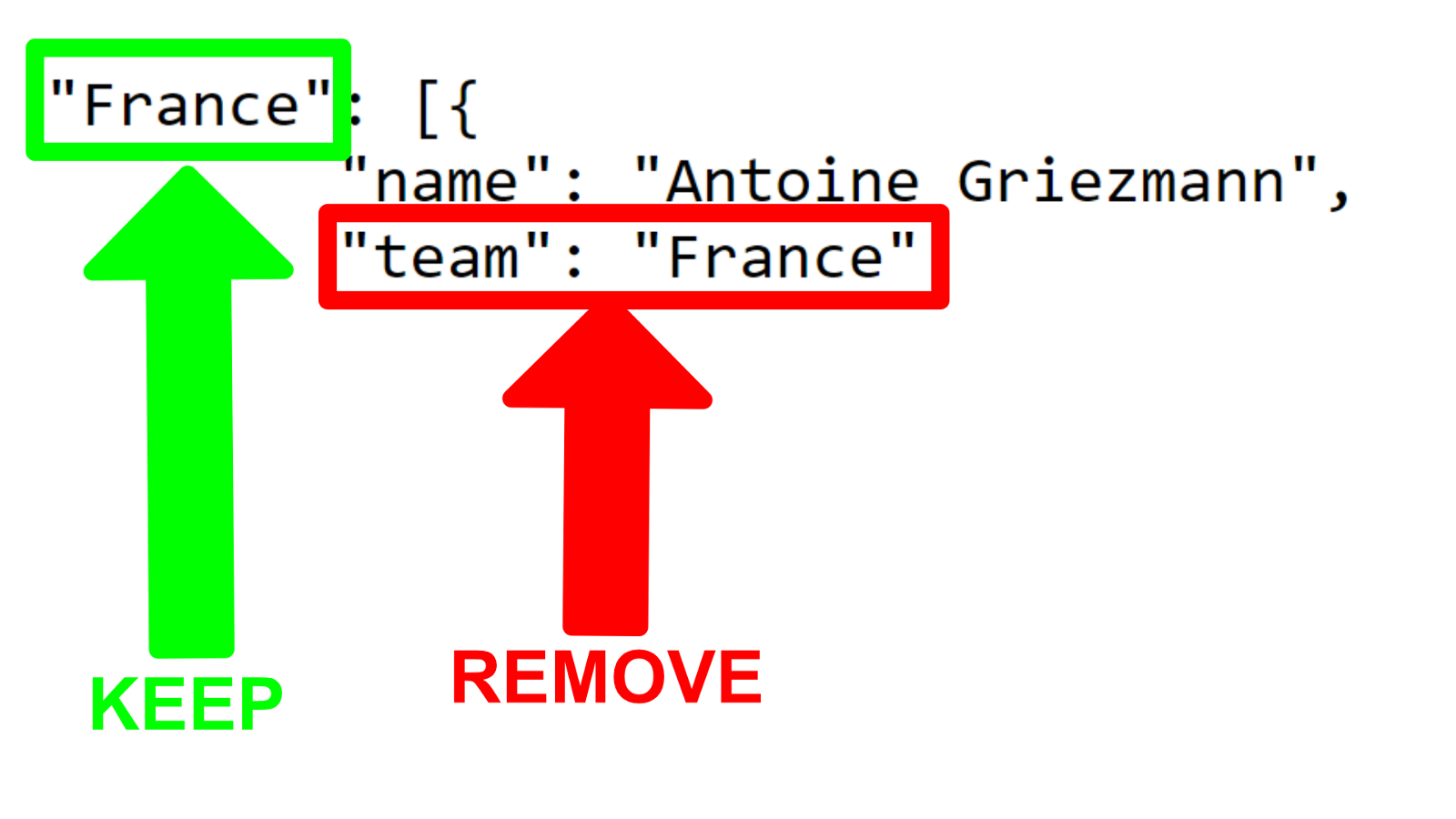
In a large application, keeping the team property would be wasting a lot of space and filling the application with data that has become irrelevant.
2. Mapping Values
The following is an example of how we might use _.mapValues
_.mapValues(playersByTeam, x => "foo");
This will get each object in playersByTeam and change it to “foo”

In our case we don’t want to change it to “foo”, we want to change it to an object that does not contain the team property.
3. Map
_.mapValues(playersByTeam, x => x.map(y => "bar"));
If we run this in the console we can see:
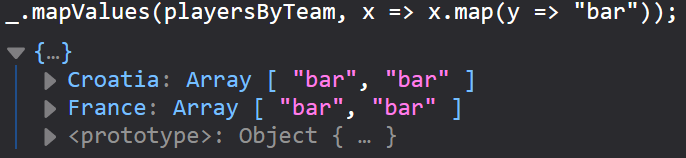
This means we can create an object {} based on playersByTeam and change the array [] in the object.
4. Omit
The _.omit function creates an object without a certain property, in our case, the property is team.
_.mapValues(playersByTeam, x => x.map(y => _.omit(y, 'team') ));
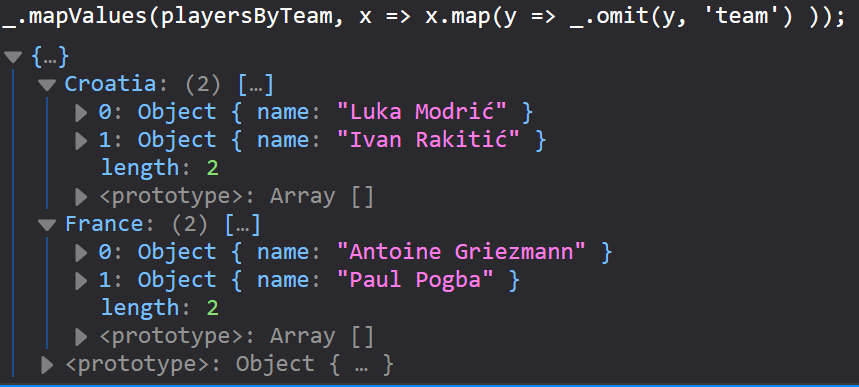
That’s the console version of:
In conclusion,
to create a reorganised array without the team property you need
_.mapValues(_.groupBy(players, "team"), x => x.map(y => _.omit(y, "team") ));
[출처] https://codeburst.io/grouping-array-data-json-ef96b438b927
광고 클릭에서 발생하는 수익금은 모두 웹사이트 서버의 유지 및 관리, 그리고 기술 콘텐츠 향상을 위해 쓰여집니다.
댓글 0
| 번호 | 제목 | 글쓴이 | 날짜 | 조회 수 |
|---|---|---|---|---|
| 4 |
AWS Certified Solutions Architect - Associate 2018 후기
 | 졸리운_곰 | 2018.10.31 | 661 |
| 3 |
AWS 자격증 준비하기
| 졸리운_곰 | 2018.10.31 | 995 |
| 2 |
AWS 자격증 (아키텍트) 준비요령
| 졸리운_곰 | 2018.10.31 | 778 |
| 1 |
AWS Certified Solutions Architect – Associate Exam 시험 후기
| 졸리운_곰 | 2018.10.31 | 819 |