
In an effort to evaluate how to handle unstructured data using mongodb I write this post to extract data from WikiDump and importing to Mongodb and accessing the same using PHP MongoDB Client libraries. Subsequently to do behavior analytics on the data.
Objective: Retrieve the wikidump import it into mongodb and retrieve the data using mongoclient.
Pre-Requisites: We would need the following softwares are pre-requisites for going step by step as per the post.
- MongoDB (http://docs.mongodb.org/manual/tutorial/install-mongodb-on-windows/)
- WAMP (Windows + MySQL + PHP + Apache)
- BZip (wikidump will be in bz format)
Step by Step Procedure: Importing the Tamil Wikipedia Dump to MongoDb.
Step 1: First you can download the wikipedia dump from the website dumps.wikipedia.org. In this case I downloaded the Tamil wiki dump from the following location http://dumps.wikimedia.org/tawiki/20131204/
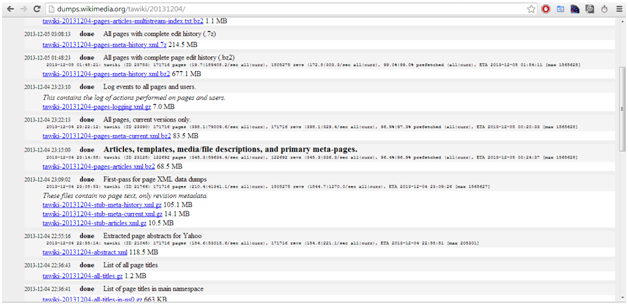
Step 2: Then I would like to analyze the articles in the Tamil wikipedia so downloaded the file tawiki-20131204-pages-articles.xml.bz2 which is of 68.5 MB size
Step 3: You would also need the appropriate library for handling mongoclient and bzopen libraries. Please download those and use it accordingly.
Step 3a: MongoClient Library installation: http://www.php.net/manual/en/mongo.installation.php and look at the s3 amazon link location I downloaded php_mongo-1.4.5.zip.
Note: Extract that zip file and download appropriate version dll to the ext folder of php location. Make sure to add extension=php_mongo-1.4.5-5.4-vc9-x86_64.dll to php.ini ( I was running this in 64-bit os, choose appropariately)
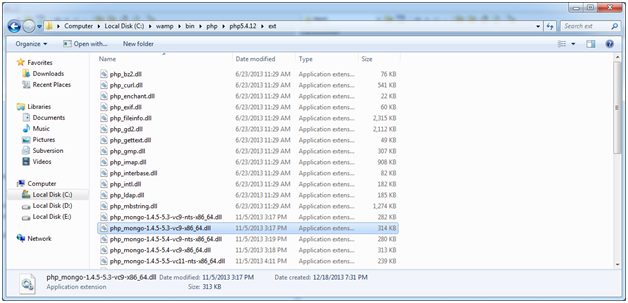
Step 3b: BZip Installation: http://www.bzip.org/ and refer this link http://www.php.net/manual/en/bzip2.setup.php for setting up of the BZip library in PHP.
Note:
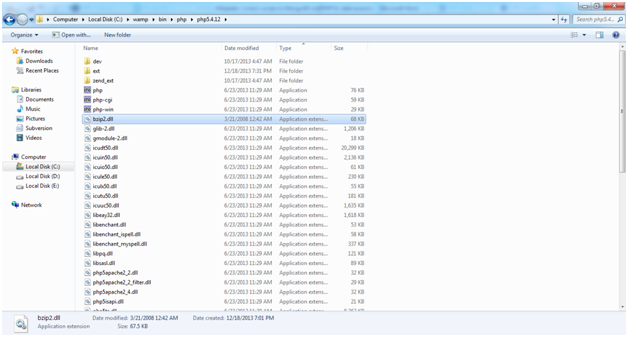
a. BZip2.dll has to be copied from the BZip installation folder to php folder, refer the picture given below).
b. Make sure to add extension=php_bz2.dll to php.ini or uncomment the same if it exists.
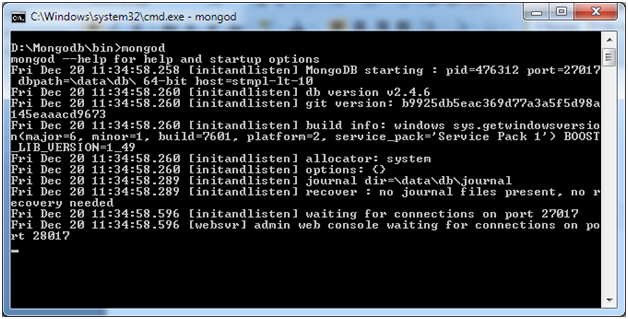
Step 4: Make sure you are running mongodb using the command line interface as shown in the picture below:
Step 5: Enough of setup, now it’s time to import the data from the wikidump to the mongodb. Please follow the instructions on executing the PHP file for importing from the command line. We will use the PHP code from James Linden from the URL provided here http://jameslinden.com/dataset/wikipedia.org/xml-dump-import-mongodb/.
Download the PHP script and place it under WAMP/XAMPP folder accordingly. Make sure you change the $dsname = ‘mongodb://localhost/wp20130708’;
$file = ‘enwiki-20130708-pages-articles.xml.bz2’;
$log = ‘./’;
aspects in the PHP Script. Then go to the command prompt and give the command PHP wikipedia.org-xmldump-mongodb.php.

I’m running the file from PHPScript folder but executing the PHP bin folder. This will also create a log file while the execution is complete.
Step 6: We will verify the imported data using the client mongo
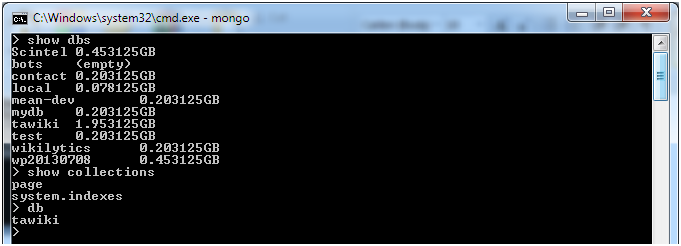
Step 7: The following PHP Code helps to connect to the mongodb which has the wikidump
The following is the code which has modified:
<code>
<meta http-equiv=”content-type” content=”text/html;charset=utf-8″ />
<?php
// PHP code to look at the Wikipedia data which are imported from Wikipedia Dump to MongoDB


$dbhost = ‘mongodb://localhost/tawiki’;
$dbname = “tawiki”;
//Connect to the localhost
$m = new mongoclient($dbhost);
//Retrive the collections exists in the database “tawiki”
$db = $m->selectDB(“tawiki”);
$collections=$db->getCollectionNames();
//Display the Collections
echo (“<b>Collections in </b>” . $dbname . “<br/><hr/>”);
var_dump($collections);
//Lets retrive the data in the collection “Page”
$collection=new MongoCollection($db, ‘page’);
//$Query =array();//(“username” => “Seesiva”);
$Query =array(“revision.contributor.username”=>”Seesiva”);
$cursor = $collection->find($Query);
$mycount=0;
$mycount=$cursor->count(true);
echo (“<b>Titles Contribution for the Query: </b>” . array_shift($Query) . ” and total results found:” . strval($mycount) .”<br/><hr/>”);
//Retrieve the titles contributed by the User
foreach ($cursor as $doc) {
//var_dump($doc[‘title’]);
var_dump($doc);
//echo($doc[‘title’]);
}
?>
</code>
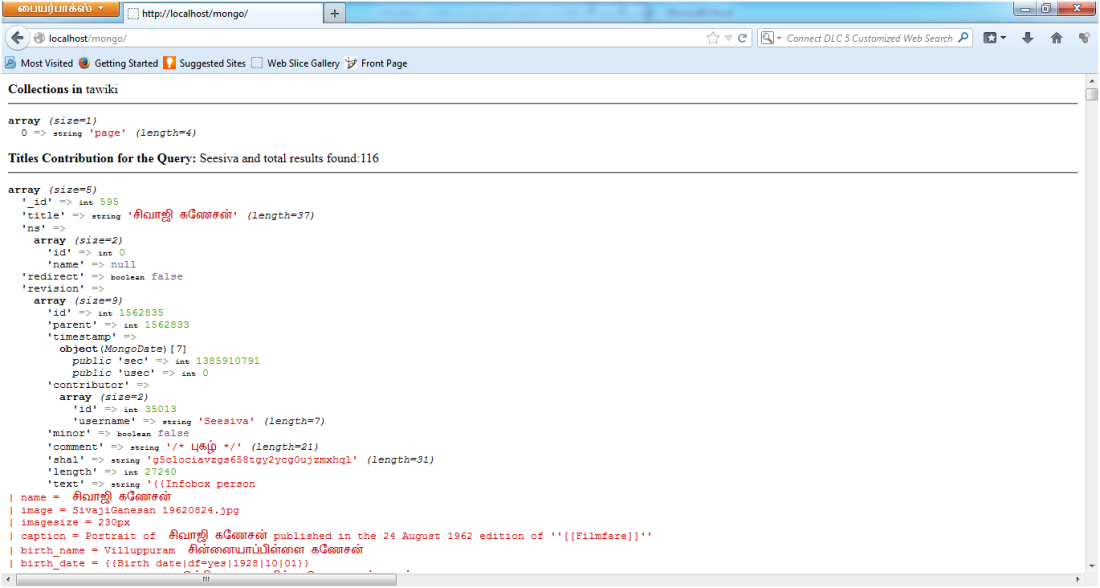
Step 8: Find the results
[출처] https://sivaanalytics.wordpress.com/2013/12/22/wikipedia-content-access-to-mongodb-and-php-for-data-analytics-step-by-step/
