[windows powershell] Setup Docker on Windows Server 2016

This multi-part blog series will show how to configure, build, and run Docker containers on Windows. The first part showed how to setup Windows Server 2016 on Virtual Box for Docker Containers. This part will install the operating system images and configure Docker. Instructions are available at msdn.microsoft.com/virtualization/windowscontainers/deployment/deployment.

Install Windows Server 2016 Container Feature

Start PowerShell:
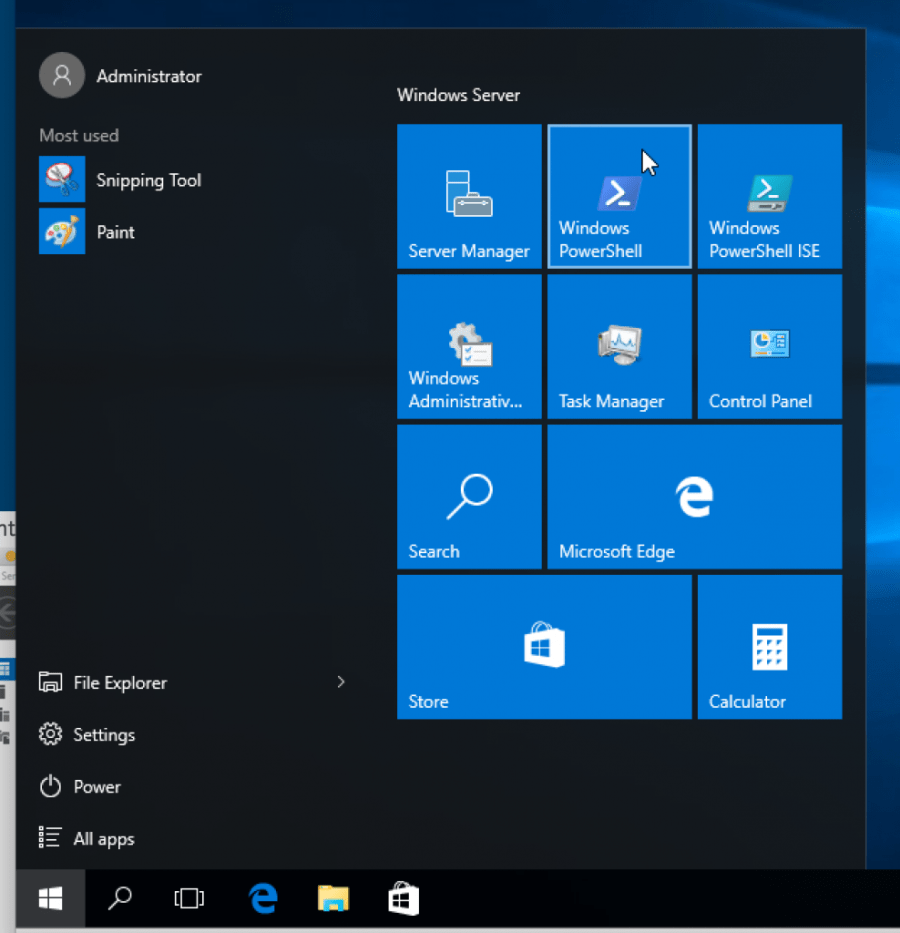
windows-2016-docker-1-

Install the container feature:
windows-2016-docker-2

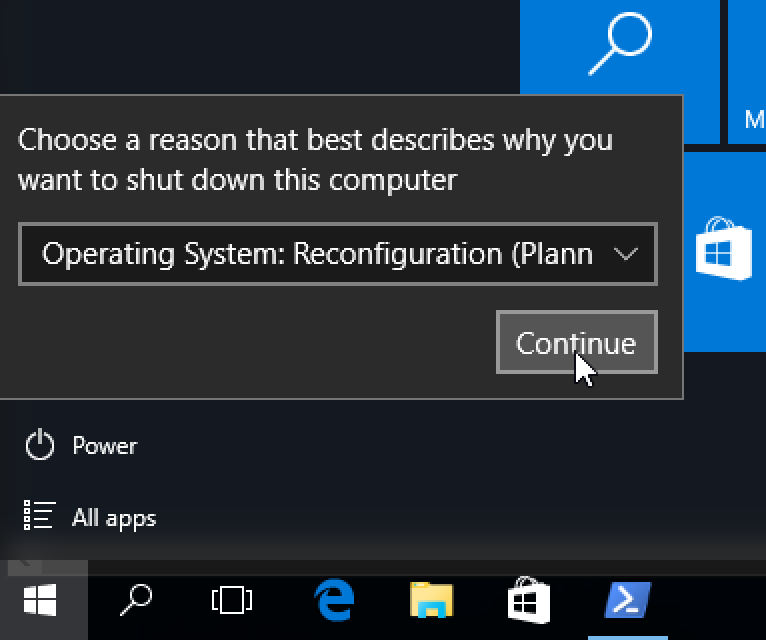
Restart the Virtual Machine:
windows-2016-docker-3

Install Windows Server 2016 Base Docker Image

Base operating system can be installed using ContainerImage PowerShell module. Install the module as:

windows-2016-docker-4

See the list of operating system images that are available:

windows-2016-docker-5

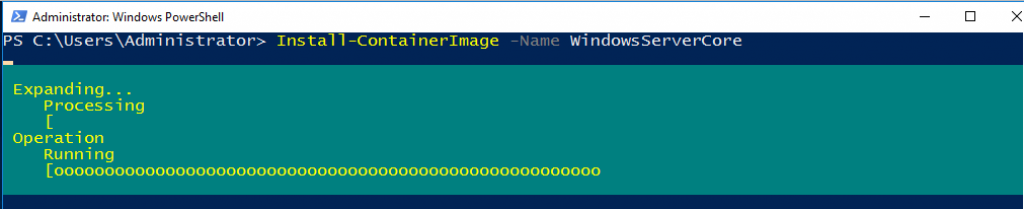
Install the Windows Server Core base OS image:

windows-2016-docker-6 windows-2016-docker-7

Install Docker on Windows Server 2016

Download the script to install Docker:

windows-2016-docker-8

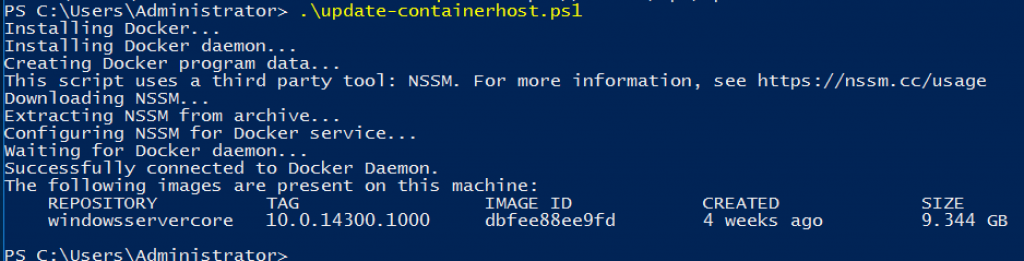
Run the script:
windows-2106-docker-9

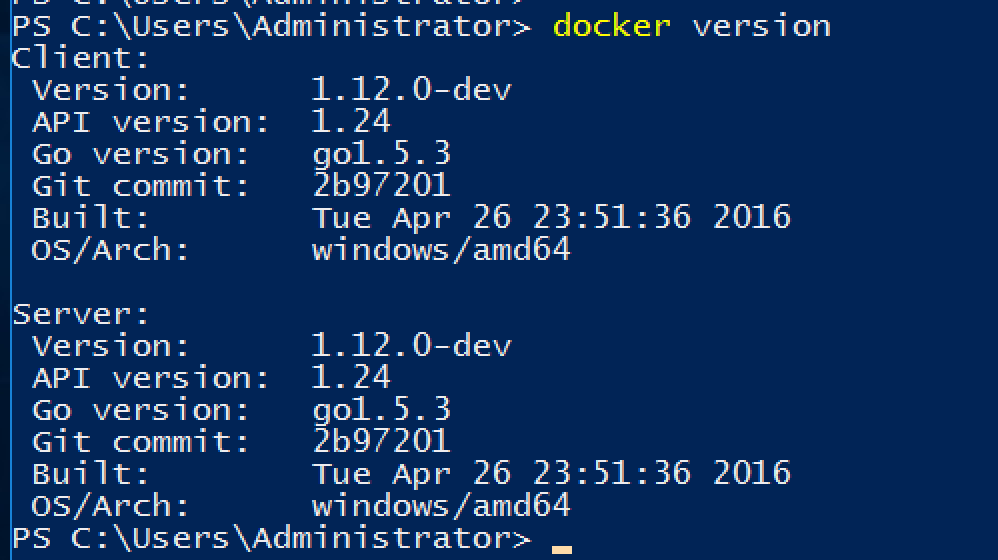
Check Docker version:
windows-2016-docker-11

경축! 아무것도 안하여 에스천사게임즈가 새로운 모습으로 재오픈 하였습니다.
어린이용이며, 설치가 필요없는 브라우저 게임입니다.
https://s1004games.com

Check the list of images and tag the base OS image to latest:

windows-2106-docker-10
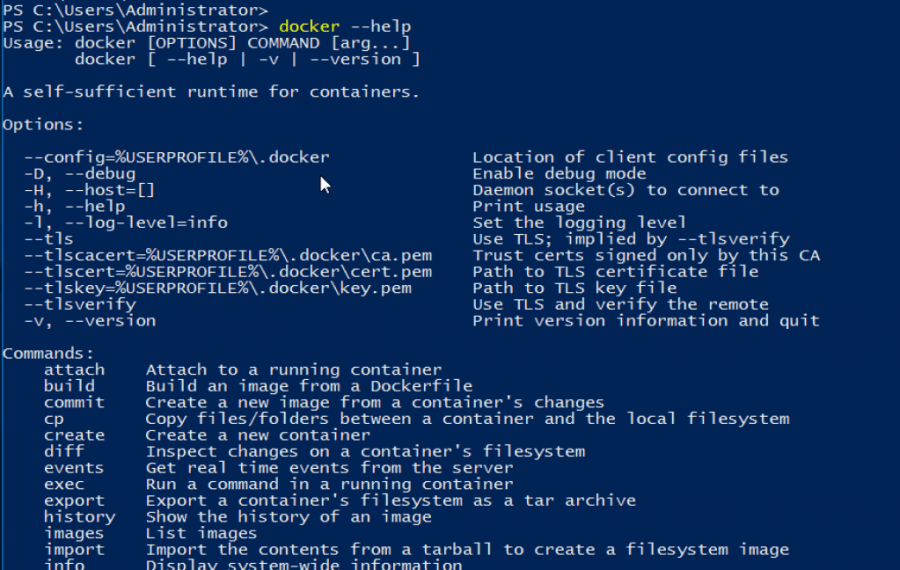
Check docker --help command:
 windows-2016-docker-12

Subsequent blogs will show how other fun things with Docker on Windows Server 2016!

Some further topics to read …


본 웹사이트는 광고를 포함하고 있습니다.
광고 클릭에서 발생하는 수익금은 모두 웹사이트 서버의 유지 및 관리, 그리고 기술 콘텐츠 향상을 위해 쓰여집니다.
번호 제목 글쓴이 날짜 조회 수
1018 [초보용] Git 되돌리기( Reset, Revert ) file 졸리운_곰 2021.06.22 85
1017 [DOCKER] Windows Server 2016에서 도커 설치하기 졸리운_곰 2021.06.13 103
1016 [docker, windows server 2016] Installing Docker onto Windows Server 2016 file 졸리운_곰 2021.06.13 98
» [windows powershell] Setup Docker on Windows Server 2016 file 졸리운_곰 2021.06.13 147
1014 [ScreenToGif]움짤 만들기 프로그램, pc 화면을 움직이는 gif 로 캡쳐 file 졸리운_곰 2021.06.12 91
1013 [一日 30分 인생슬리의 학습법] 내가 AI 업계를 떠난 이유 5가지 file 졸리운_곰 2021.05.29 121
1012 [一日 30分 인생슬리의 학습법] 정규식 쉽게 베우기 : Learn Regex Easy Way file 졸리운_곰 2021.05.24 98
1011 [一日 30分 인생슬리의 학습법] Improving CartoonGAN 소개 file 졸리운_곰 2021.05.20 220
1010 [공통] 마크다운 markdown 작성법 file 졸리운_곰 2021.05.17 87
1009 자료구조 : JSON 구조 file 졸리운_곰 2021.05.17 113
1008 BitTorrent (토렌트) 의 원리와 구조 졸리운_곰 2021.05.14 92
1007 [1日 30分 인생 승리의 학습법] 훌륭한 개발자가 되는 방법 file 졸리운_곰 2021.04.28 94
1006 [1日30分 인생승리의 학습법] 개발자의 실수 -> 프로젝트 실패의 요인 노트 : 개발 프로젝트 실패하는 법 졸리운_곰 2021.04.28 86
1005 [1日30分 인생승리의 학습법] 검색에서 정보를 구성하는 방법 졸리운_곰 2021.04.28 81
1004 [1日30分 인생승리의 학습법] 웹크롤러(WebCrawler) file 졸리운_곰 2021.04.28 105
1003 [1日30分 인생승리의 학습법]프로덕션 환경에서 텐서 플로우 모델을 구축하는 방법 : gRPC로 텐서플로우 서빙 서비스 플랫폼 개발 file 졸리운_곰 2021.04.27 118
1002 [1日 30分 인생승리의 학습법] 나의 Sparx Enterprise Architect(UML) 활용기 file 졸리운_곰 2021.04.25 87
1001 [인공지능][전문가시스템][프롤로그][prolog] 어떤 컴퓨터 프로그래밍 언어를 먼저 배워야 할까? file 졸리운_곰 2021.04.23 117
1000 [WebGPU] Apache TVM을 사용하는 브라우저에서 WebGPU 기반 기계 학습 file 졸리운_곰 2021.04.17 173
999 테라폼이란? 클라우드 인프라스트럭처 자동화 도구 file 졸리운_곰 2021.03.28 124
대표 김성준 주소 : 경기 용인 분당수지 U타워 등록번호 : 142-07-27414
통신판매업 신고 : 제2012-용인수지-0185호 출판업 신고 : 수지구청 제 123호 개인정보보호최고책임자 : 김성준 sjkim70@stechstar.com
대표전화 : 010-4589-2193 [fax] 02-6280-1294 COPYRIGHT(C) stechstar.com ALL RIGHTS RESERVED