python 으로 pdf 에서 text 문자열 추출 (뽑아내기)

Extract text from PDF File using Python

All of you must be familiar with what PDFs are. In fact, they are one of the most important and widely used digital media. PDF stands for Portable Document Format. It uses .pdf extension. It is used to present and exchange documents reliably, independent of software, hardware, or operating system.

Extracting Text from PDF File

Python package PyPDF can be used to achieve what we want (text extraction), although it can do more than what we need. This package can also be used to generate, decrypting and merging PDF files.

Note: For more information, refer to Working with PDF files in Python

Installation

To install this package type the below command in the terminal.

pip install PyPDF2

Example:

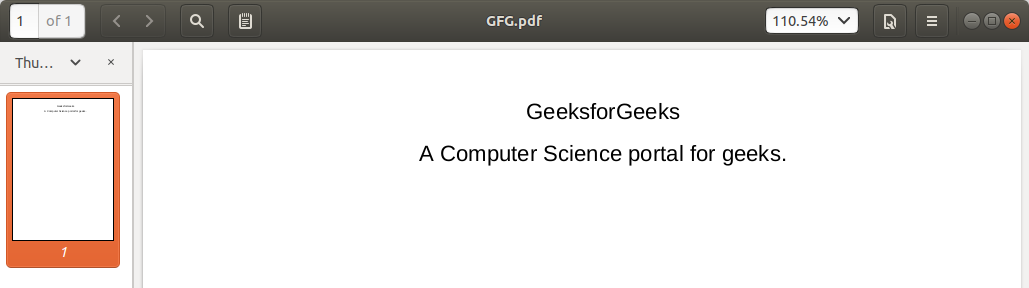
Input PDF:

extract-pdf-text-python

filter_none


brightness_4

# importing required modules 
import PyPDF2 
    
# creating a pdf file object 
pdfFileObj = open('example.pdf', 'rb'
    
# creating a pdf reader object 
pdfReader = PyPDF2.PdfFileReader(pdfFileObj) 
    
# printing number of pages in pdf file 
print(pdfReader.numPages) 
    
# creating a page object 
pageObj = pdfReader.getPage(0
    
# extracting text from page 
print(pageObj.extractText()) 
    
# closing the pdf file object 
pdfFileObj.close() 

Output:

경축! 아무것도 안하여 에스천사게임즈가 새로운 모습으로 재오픈 하였습니다.
어린이용이며, 설치가 필요없는 브라우저 게임입니다.
https://s1004games.com

extract-pdf-python

Let us try to understand the above code in chunks:

  • pdfFileObj = open('example.pdf', 'rb')

    We opened the example.pdf in binary mode. and saved the file object as pdfFileObj.

  • pdfReader = PyPDF2.PdfFileReader(pdfFileObj)

    Here, we create an object of PdfFileReader class of PyPDF2 module and  pass the pdf file object & get a pdf reader object.

  • print(pdfReader.numPages)

    numPages property gives the number of pages in the pdf file. For example, in our case, it is 20 (see first line of output).

  • pageObj = pdfReader.getPage(0)

    Now, we create an object of PageObject class of PyPDF2 module. pdf reader object has function getPage() which takes page number (starting form index 0) as argument and returns the page object.

  • print(pageObj.extractText())

    Page object has function extractText() to extract text from the pdf page.

  • pdfFileObj.close()

    At last, we close the pdf file object.

[출처] https://www.geeksforgeeks.org/extract-text-from-pdf-file-using-python/


본 웹사이트는 광고를 포함하고 있습니다.
광고 클릭에서 발생하는 수익금은 모두 웹사이트 서버의 유지 및 관리, 그리고 기술 콘텐츠 향상을 위해 쓰여집니다.
번호 제목 글쓴이 날짜 조회 수
297 Simple Python Flask Program with MongoDB file 졸리운_곰 2020.11.07 441
296 Zappa를 이용해 AWS Lambda에 Flask 올리기 file 졸리운_곰 2020.10.25 455
295 Python WAS 구축하기 ( Django, Nginx, Gunicorn ) file 졸리운_곰 2020.10.25 430
294 Python SimpleHTTPServer file 졸리운_곰 2020.10.25 421
293 XML to JSON ( JSON to XML ) 파이썬 스크립트 변환 졸리운_곰 2020.10.04 365
292 [python] 크롤러 만들어 db에 정보 insert 하기 졸리운_곰 2020.10.02 525
291 [Django] 설문조사 애플리케이션 예제 (3) - 구현하기 file 졸리운_곰 2020.09.07 591
290 [Django] 설문조사 애플리케이션 예제 (2) - Model 다루기 file 졸리운_곰 2020.09.07 503
289 ????[Django] 설문조사 애플리케이션 예제 (1) - Django 프로젝트 구조 알아보기???? file 졸리운_곰 2020.09.07 409
» python 으로 pdf 에서 text 문자열 추출 (뽑아내기) file 졸리운_곰 2020.09.05 1001
287 [Python 데이터 수집] 웹 페이지 컨텐츠 수집 file 졸리운_곰 2020.08.08 468
286 [python] 파이썬 스케줄 수행 - schedule, apscheduler file 졸리운_곰 2020.07.26 454
285 파이썬 스크립트 스케줄링하기 file 졸리운_곰 2020.07.26 1011
284 Python Scheduler 만들기(APScheduler) 졸리운_곰 2020.07.26 1089
283 주피터 노트북(Jupyter Notebook) 시작 폴더 변경 file 졸리운_곰 2020.05.09 2512
282 파이썬 네이버 실시간 검색어 스크래핑(크롤링) file 졸리운_곰 2020.05.09 469
281 파이썬 크롤링 스크래핑 간단 설명(예제) file 졸리운_곰 2020.05.09 577
280 [파이썬] sqlite3 모듈 사용법 졸리운_곰 2020.05.06 510
279 Python 데이터 시각화 file 졸리운_곰 2020.05.06 587
278 파이썬 SQLite3 사용법 file 졸리운_곰 2020.05.06 450
대표 김성준 주소 : 경기 용인 분당수지 U타워 등록번호 : 142-07-27414
통신판매업 신고 : 제2012-용인수지-0185호 출판업 신고 : 수지구청 제 123호 개인정보보호최고책임자 : 김성준 sjkim70@stechstar.com
대표전화 : 010-4589-2193 [fax] 02-6280-1294 COPYRIGHT(C) stechstar.com ALL RIGHTS RESERVED