Intellij JSP - MySQL 연동

2020.03.26 21:30

졸리운_곰 조회 수:186


Intellij JSP - MySQL 연동


MySQL 연동

  • MySQL 설치

  • Intellij - MySQL 연동

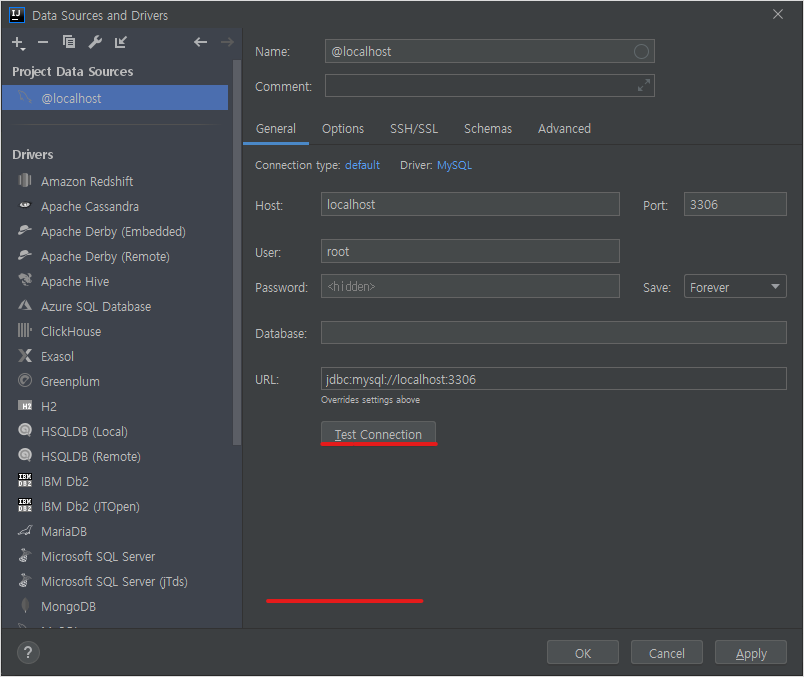
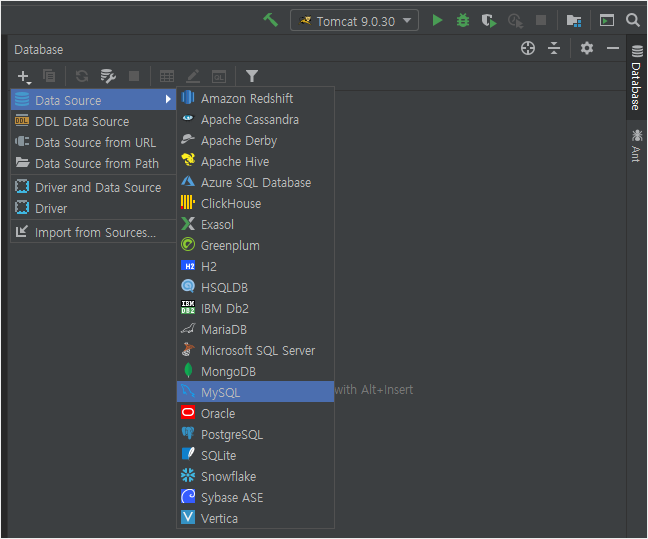
    • 오른쪽에 Database -> New -> Data Source -> MySQL 선택
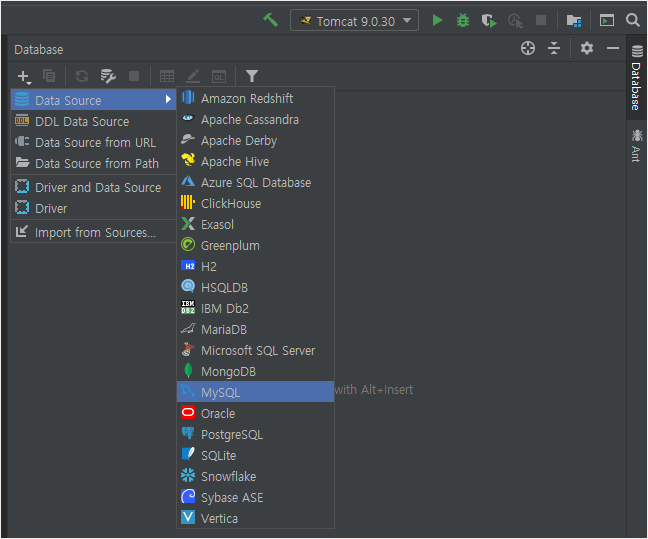


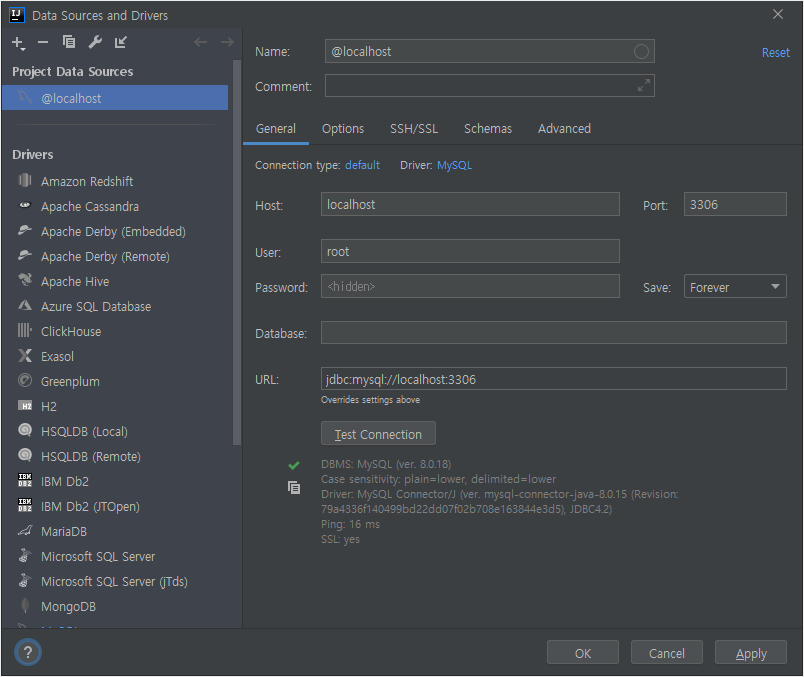
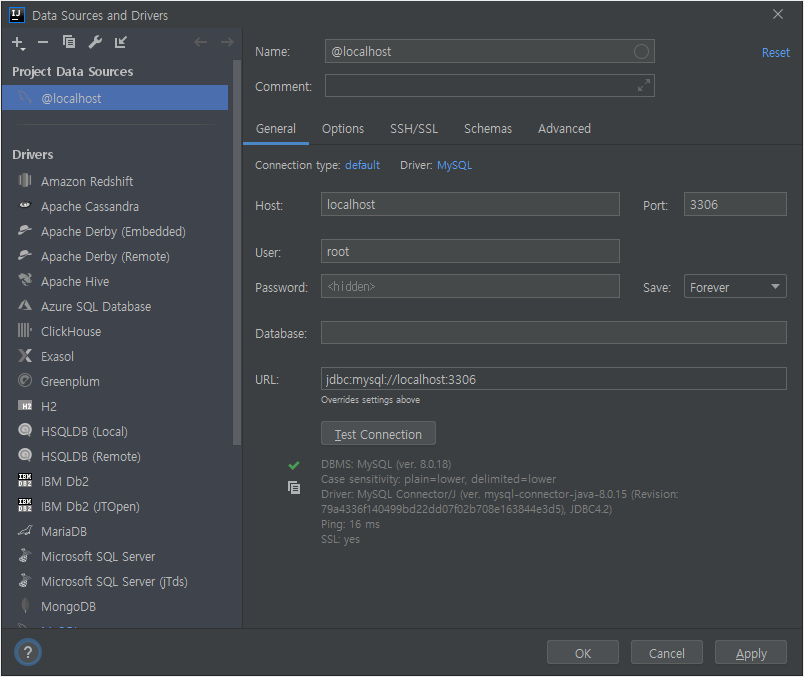
    • 아래쪽에 Download버튼이 생기면 클릭해서 다운로드 받은 후 Test Connection 클릭
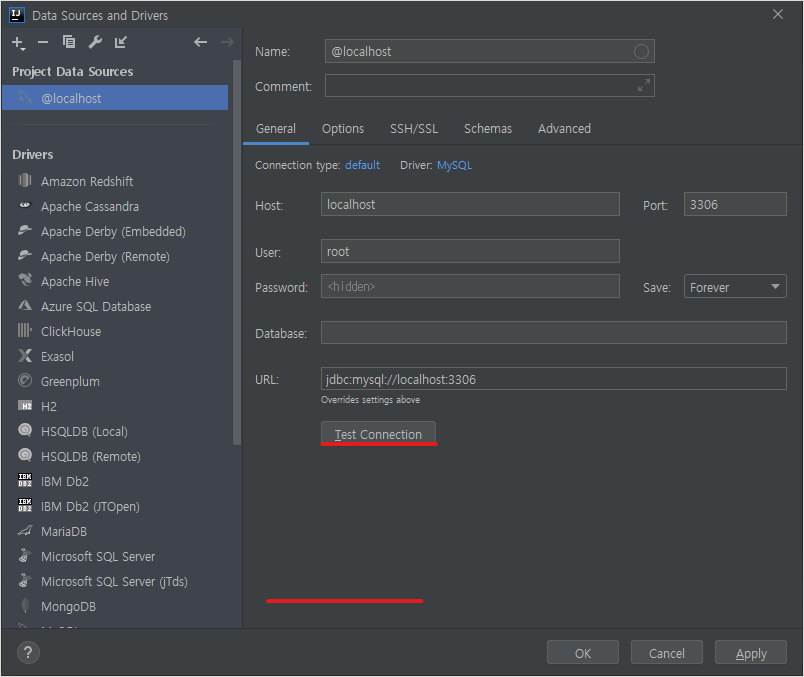


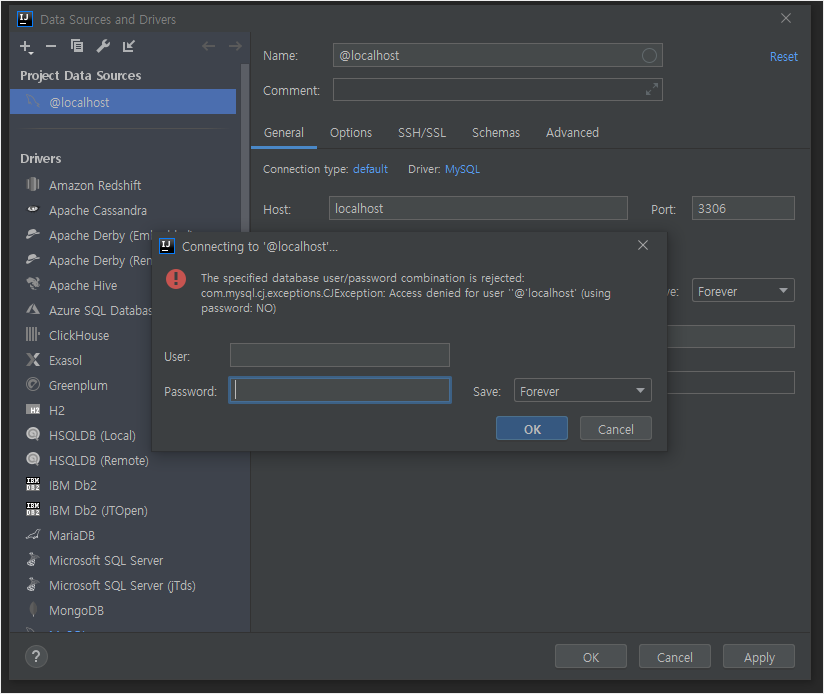
    • 아이디와 비밀번호를 입력하고 OK (기본적으로 User = root / Password는 생성시 비밀번호)
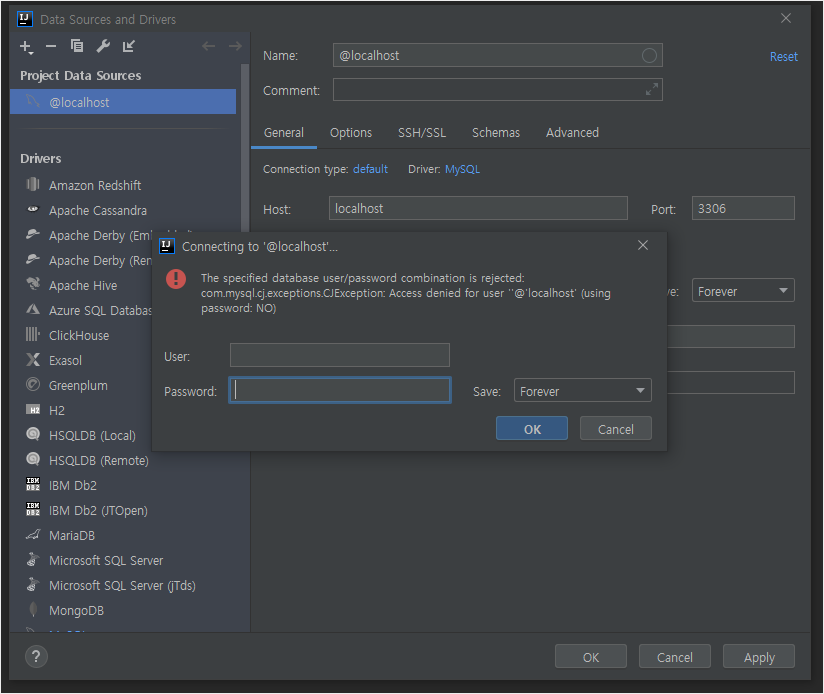


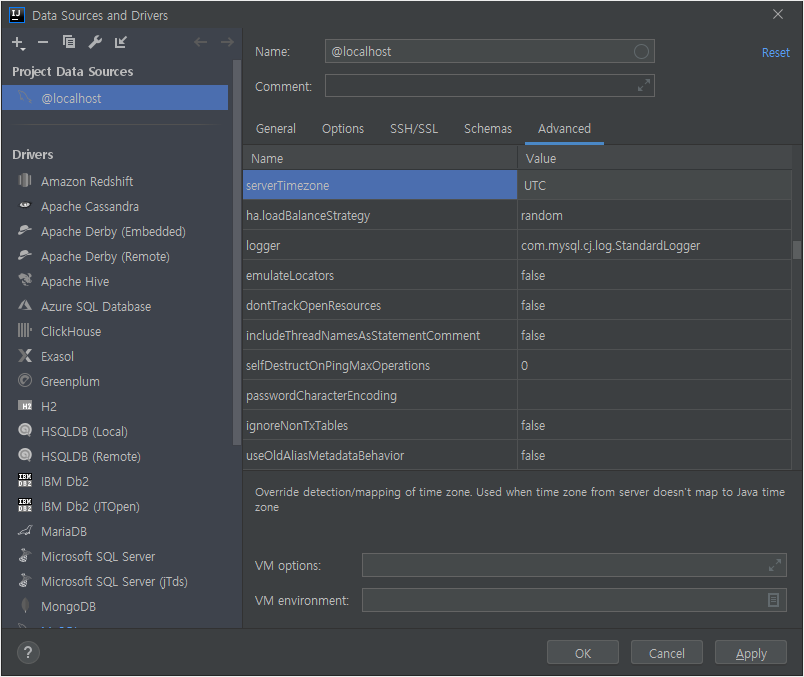
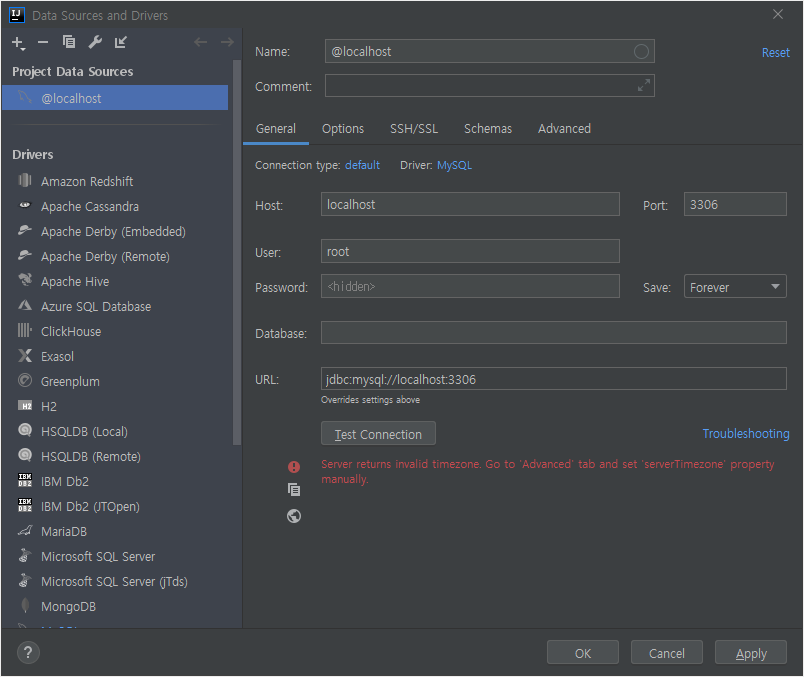
    • 아래 처럼 serverTimezone 에러가 뜨면


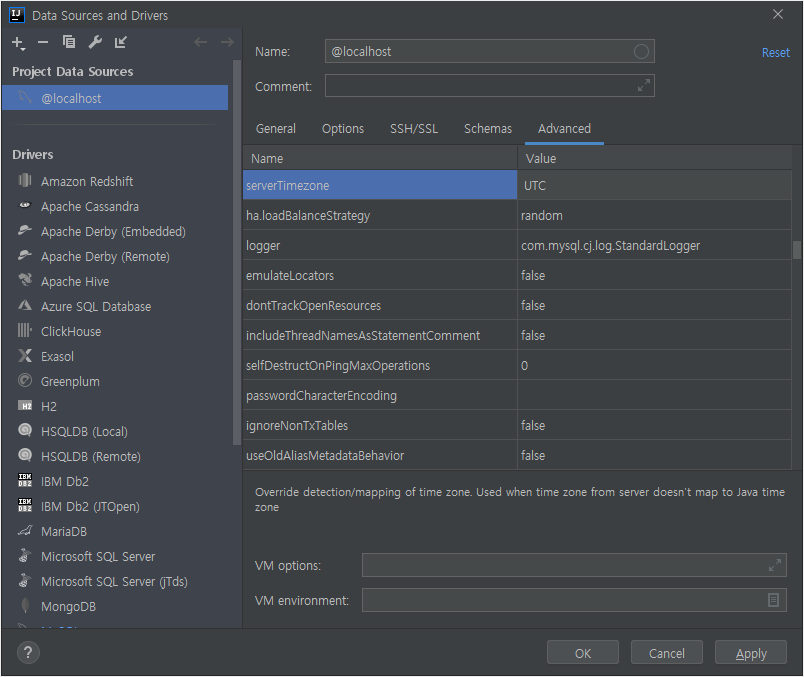
    • Advanced ->serverTimezone의 Value에 UTC 추가 후 다시 Test Connection을 누른다


    • Test Connection이 정상 작동하면 OK


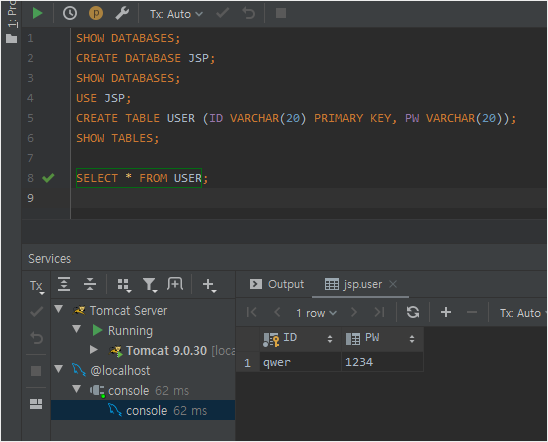
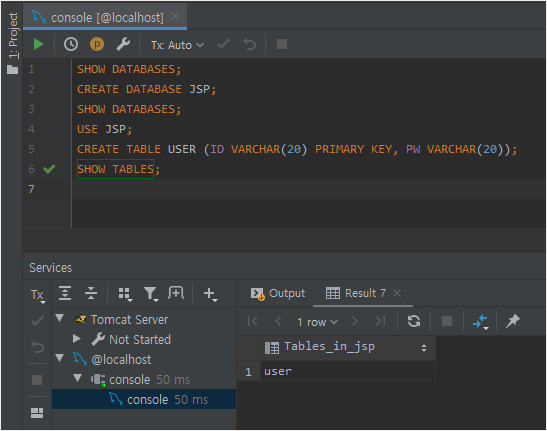
    • Intellij가 MySQL console 창과 연동된것을 볼수 있다
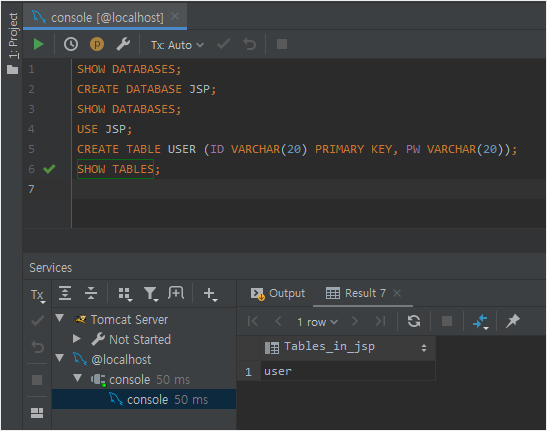


  • MySQL JDBC 추가

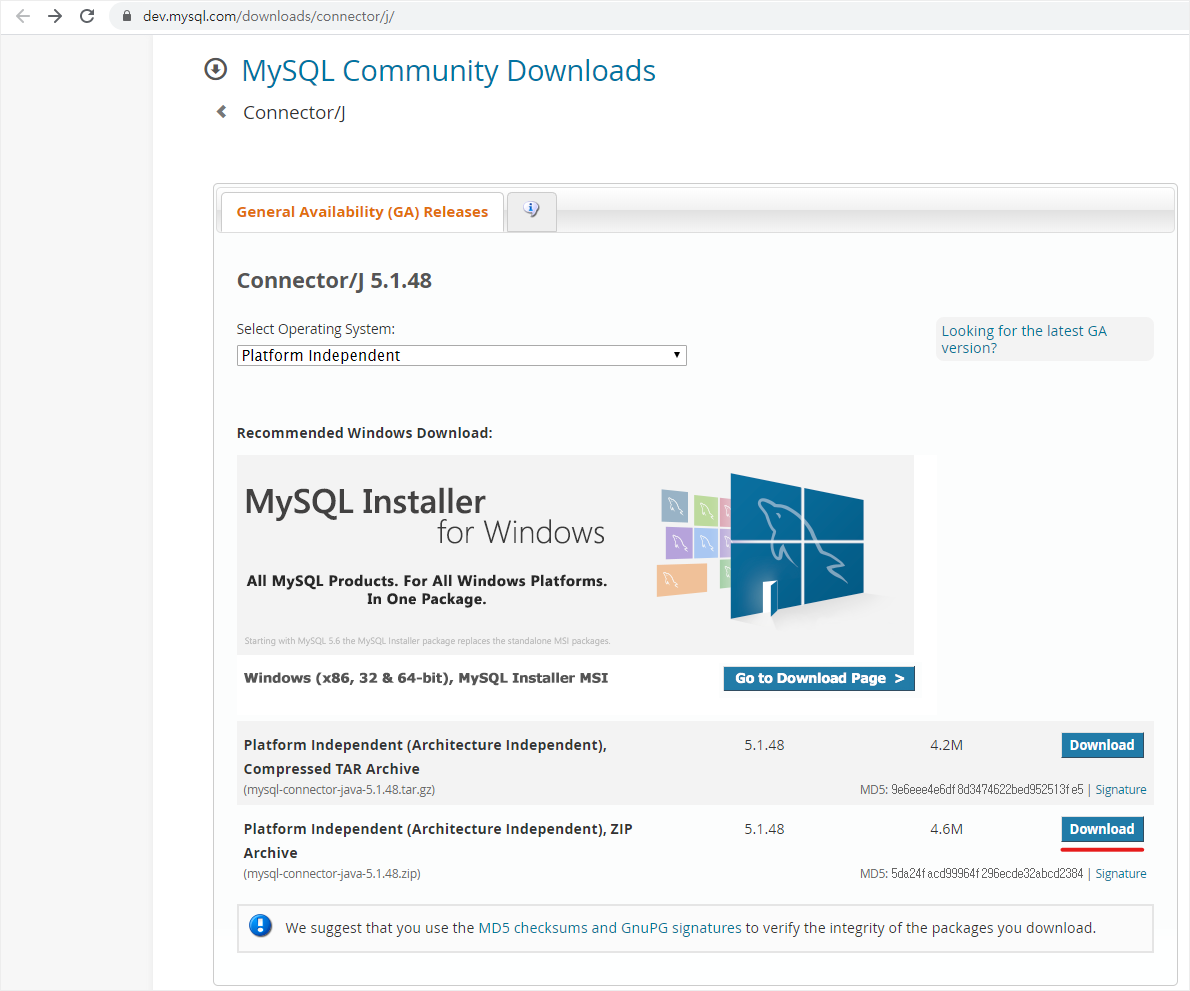
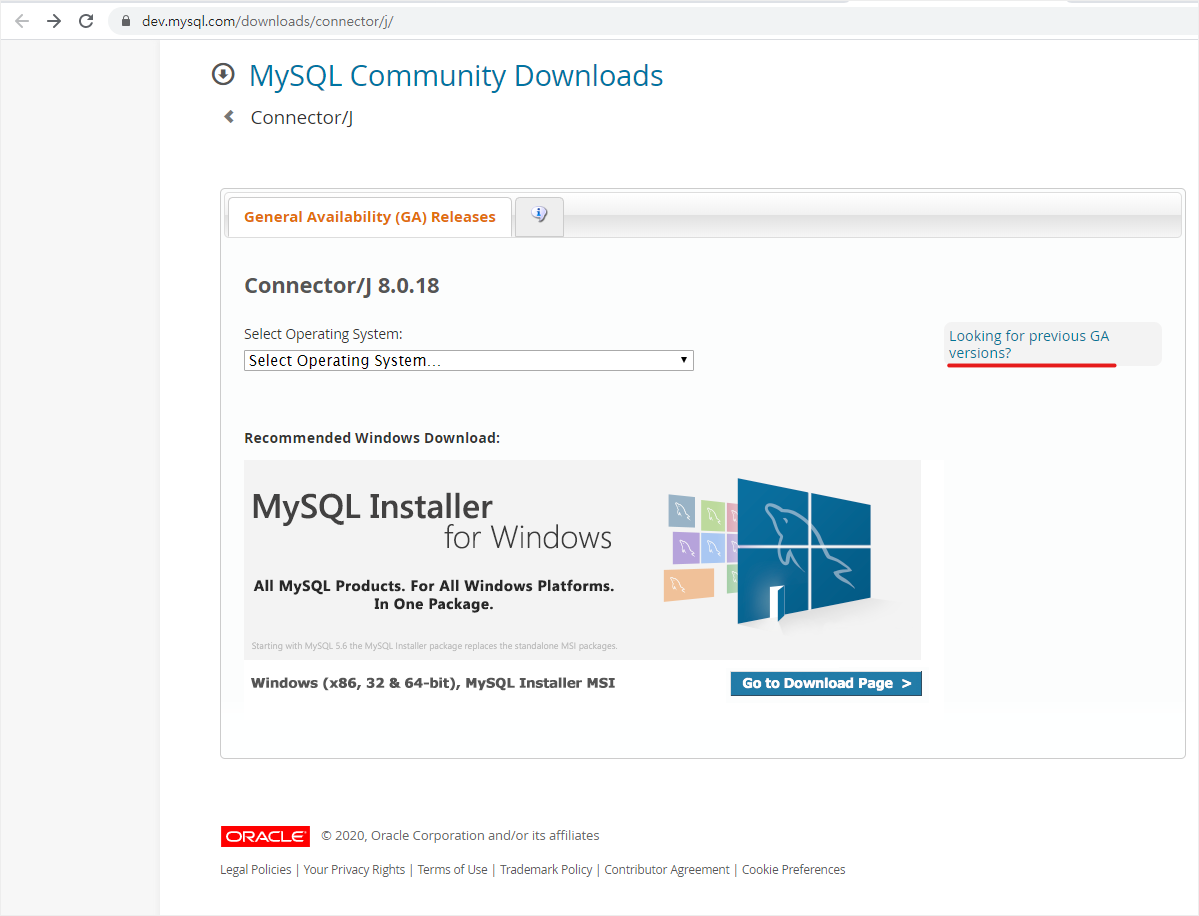
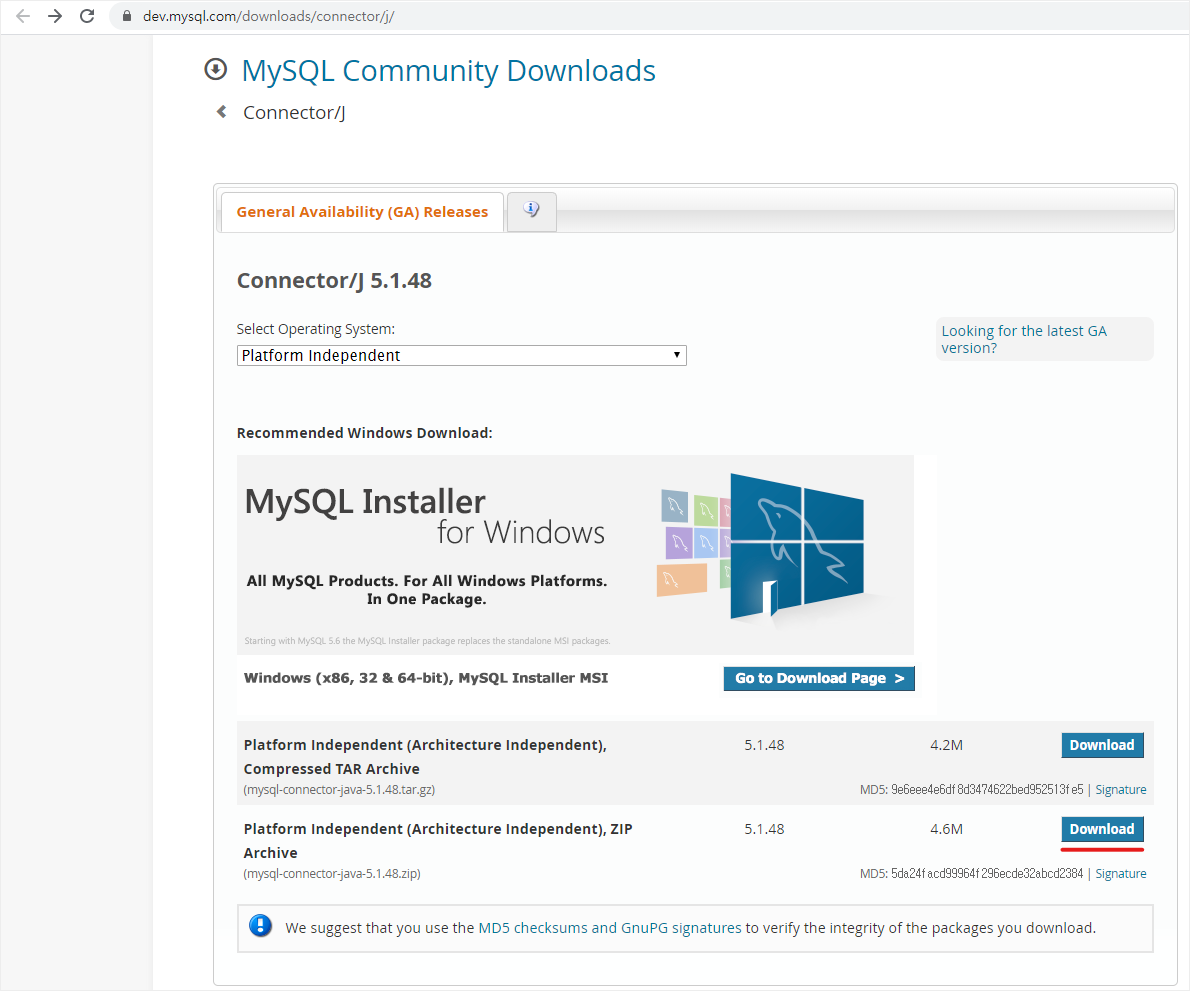
    • MySQL Community Downloads 에서 MySQL JDBC를 다운 받고 압축을 푼다


      경축! 아무것도 안하여 에스천사게임즈가 새로운 모습으로 재오픈 하였습니다.
      어린이용이며, 설치가 필요없는 브라우저 게임입니다.
      https://s1004games.com

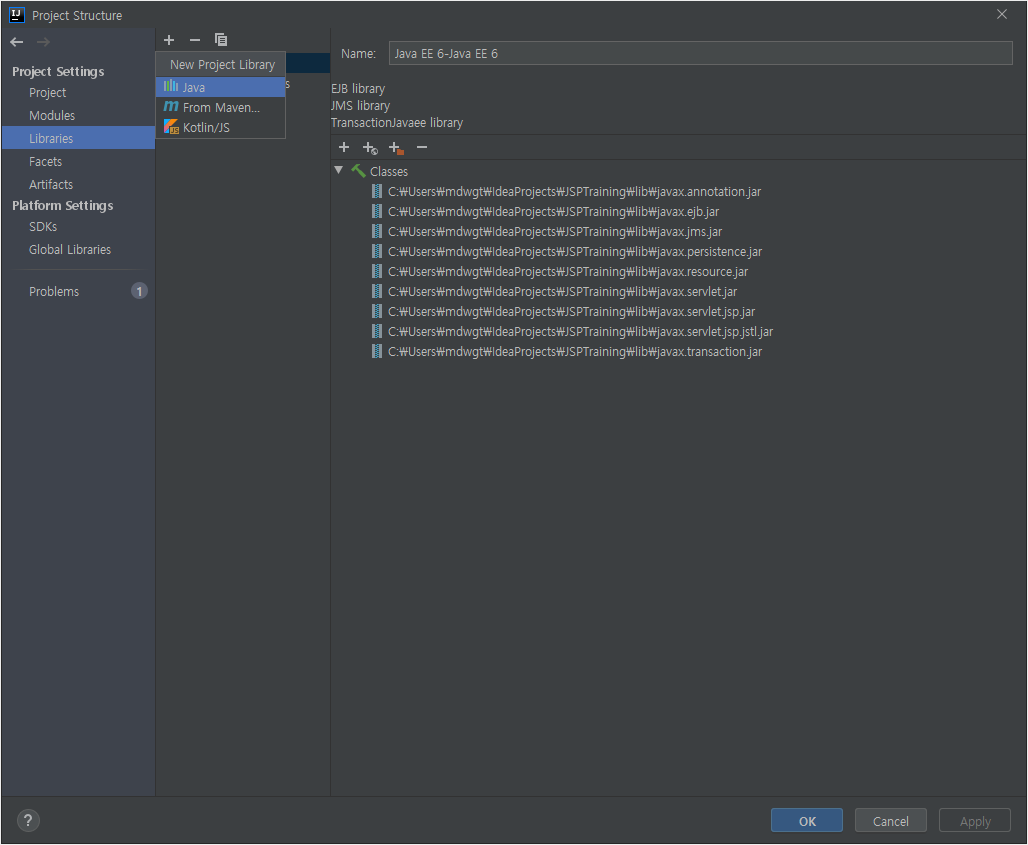
    • Project Structure (Ctrl + Alt + Shift + S) -> Libraries -> New Project Library -> Java
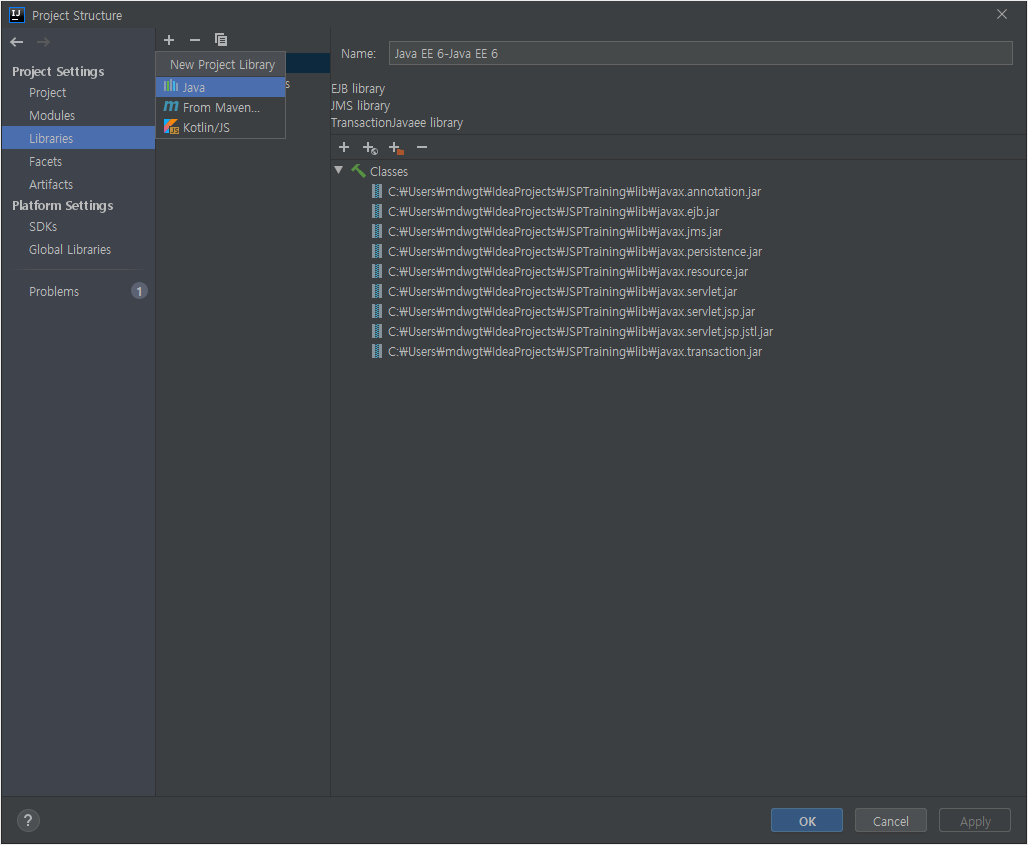


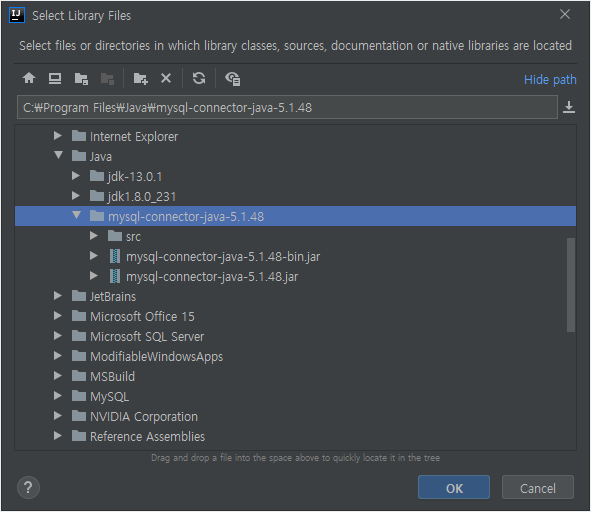
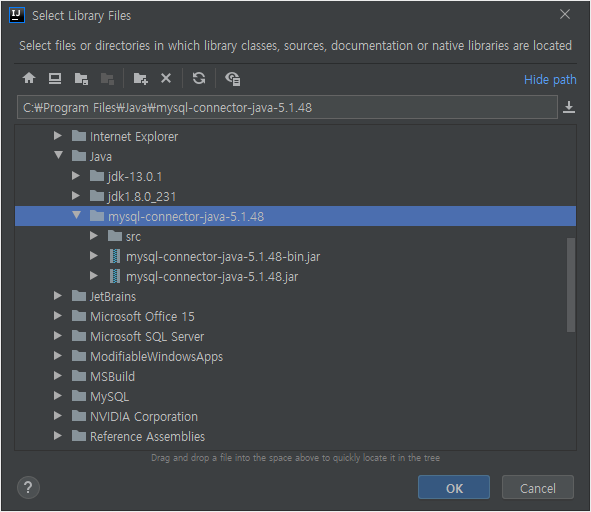
    • 압축을 풀은 폴더에 있는 mysql-connector-java-5.1.48-bin.jar를 추가후 OK


  • 간단한 Insert 예제

    • DBConnUtils.java
        package db;
      
        import java.sql.Connection;
        import java.sql.DriverManager;
      
        public class DBConnUtils {
                public static Connection getConnection(){
                        try{
                                String dbURL = "jdbc:mysql://localhost:3306/JSP";
                                String dbID = "root";
                                String dbPW = "1234";
                                Class.forName("com.mysql.jdbc.Driver");
                                return DriverManager.getConnection(dbURL,dbID,dbPW);
                        } catch (Exception e) {
                                e.printStackTrace();
                        }
                        return null;
                }
        }
      
    • insert_user.html
        <!DOCTYPE html>
        <html lang="en">
        <head>
                <meta charset="UTF-8">
                <title>Insert User</title>
        </head>
        <body>
        <form action="insert_user.jsp" method="post">
                <table>
                        <tr>
                                <td>ID :</td>
                                <td><input type="test" name="id"></td>
                        </tr>
                        <tr>
                                <td>Password :</td>
                                <td><input type="password" name="pw"></td>
                        </tr>
                </table>
                <input type="submit" value="Insert">
        </form>
        </body>
        </html>
      
    • insert_user.jsp
        <%@ page import="db.DBConnUtils" %>
        <%@ page import="java.sql.Connection" %>
        <%@ page import="java.sql.PreparedStatement" %>
        <%@ page import="java.sql.SQLException" %>
        <%@ page contentType="text/html;charset=UTF-8" language="java" %>
        <%
                Connection conn = DBConnUtils.getConnection();
                PreparedStatement pstmt = null;
                String query = "INSERT INTO USER VALUES (?,?)";
                if (conn != null) {
                        try {
                                pstmt = conn.prepareStatement(query);
                                pstmt.setString(1, request.getParameter("id"));
                                pstmt.setString(2, request.getParameter("pw"));
                                pstmt.executeUpdate();
                                conn.close();
                                pstmt.close();
        %>
        <script>
                alert("Insert 성공");
                location.href='insert_user.html';
        </script>
        <%
                } catch (SQLException e) {
                        e.printStackTrace();
                }
      
        } else {
        %>
        <script>
                alert("Database 연결 실패");
                history.back();
        </script>
        <%
      
                }
        %>
      
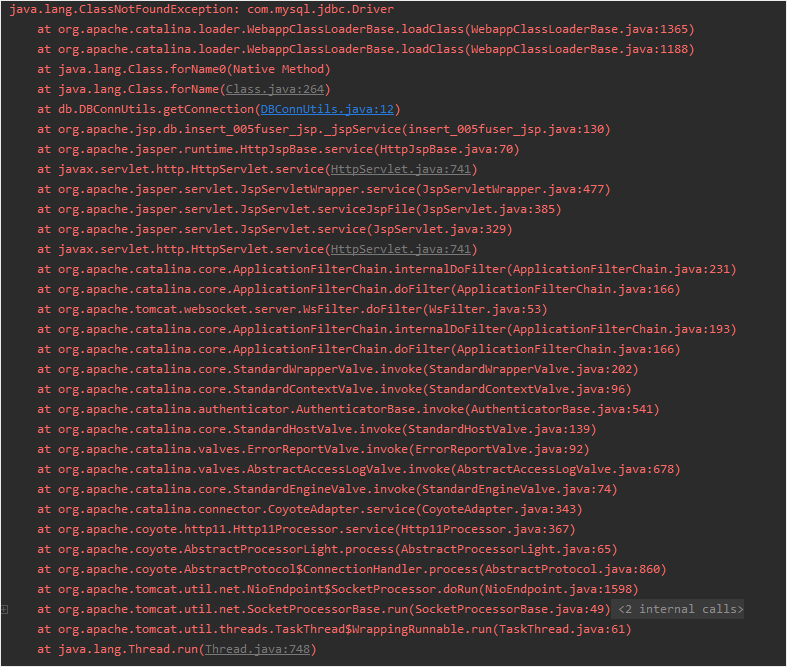
    • ClassNotFoundExecption: com.mysql.jdbc.Driver 에러가 뜰 경우
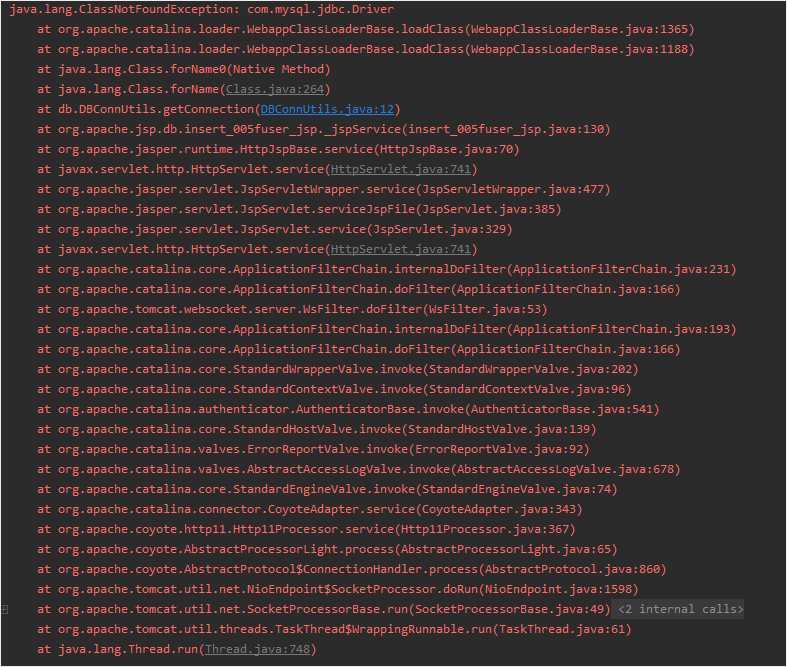


      • JDBC 드라이버 파일을 아래의 위치 중 한군데에 복사
      • JRE의 library 디렉토리

        C:\Program Files\Java\jdk1.8.0_231\jre\lib\ext

      • Tomcat의 library 디렉토리

        C:\apache-tomcat-9.0.30\lib

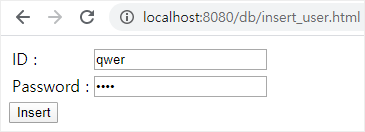
    • insert_user.html


    • insert_user.jsp


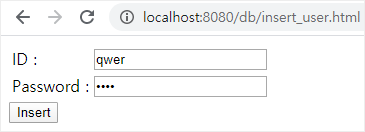
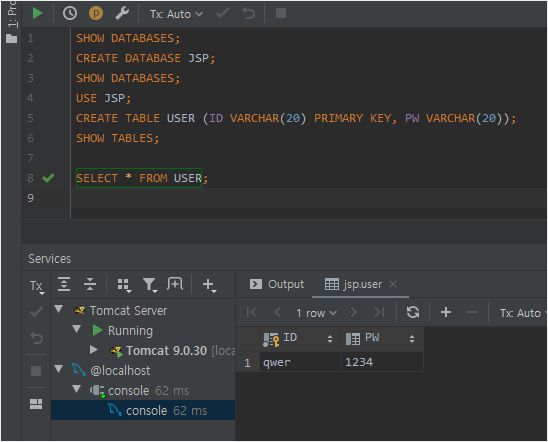
    • 정상적으로 Insert된 것을 확인할 수 있다


  • [출처] https://mdwgti16.github.io/jsp/mysql/#


본 웹사이트는 광고를 포함하고 있습니다.
광고 클릭에서 발생하는 수익금은 모두 웹사이트 서버의 유지 및 관리, 그리고 기술 콘텐츠 향상을 위해 쓰여집니다.
번호 제목 글쓴이 날짜 조회 수
166 [java][JAVA web][JSP] JSTL의 기본 개념과 사용방법 정리 졸리운_곰 2021.04.22 97
165 [java][jsp][EL/JSTL 정리] EL/JSTL 정리 file 졸리운_곰 2021.04.22 42
164 [Redis] [Spring] Spring session을 Redis에 저장했을 때 어떻게 저장될까? file 졸리운_곰 2021.04.11 111
163 [Java Web programming] Java 시스템 운영 중 알아두면 쓸모 있는 지식들 file 졸리운_곰 2021.03.07 69
162 React와 JSP(java server page) file 졸리운_곰 2021.01.09 232
161 [MongoDB] 몽고디비와 JSP 연동 방법! 조회 후 레코드 값 저장 방법! 졸리운_곰 2021.01.05 57
160 [SpringBoot] Hello world! ( IntelliJ + Gradle + SpringBoot ) file 졸리운_곰 2020.09.10 71
159 [visual studio code] 스프링 부트 + 리액트 개발 셋업 file 졸리운_곰 2020.07.01 1464
158 Eclipse의 Workspace와 IntelliJ의 Project file 졸리운_곰 2020.05.03 88
157 [IntelliJ] 전자정부 프로젝트 IntelliJ에서 세팅 file 졸리운_곰 2020.05.03 89
» Intellij JSP - MySQL 연동 file 졸리운_곰 2020.03.26 186
155 Spring Boot with React 설정 file 졸리운_곰 2020.03.05 1022
154 Spring SQL Server 연동 (실습) file 졸리운_곰 2020.01.24 758
153 전자정부프레임워크 MSSQL 연동하기 졸리운_곰 2020.01.24 562
152 전자정부프레임워크 mssql 연동 졸리운_곰 2020.01.24 113
151 Spring Boot::DB 에 한글이 깨져서 저장될 때 해결 방법. 졸리운_곰 2020.01.24 78
150 Configuring Spring Boot for Microsoft SQL Server file 졸리운_곰 2020.01.24 76
149 SQL Server 에게 String 이란? (NVARCHAR 인가 VARCHAR 인가) 졸리운_곰 2020.01.24 72
148 Spring Boot + Microsoft SQL Server + JPA/Hibernate CRUD Restful API Tutorial file 졸리운_곰 2020.01.24 1506
147 MS SQL Server에서 JPA NativeQuery 사용시 유니코드(Unicode) 문제 file 졸리운_곰 2020.01.24 1923
대표 김성준 주소 : 경기 용인 분당수지 U타워 등록번호 : 142-07-27414
통신판매업 신고 : 제2012-용인수지-0185호 출판업 신고 : 수지구청 제 123호 개인정보보호최고책임자 : 김성준 sjkim70@stechstar.com
대표전화 : 010-4589-2193 [fax] 02-6280-1294 COPYRIGHT(C) stechstar.com ALL RIGHTS RESERVED