Install Atom Text Editor in Ubuntu 16.04 (both 32&64bit)

Atom Text Editor

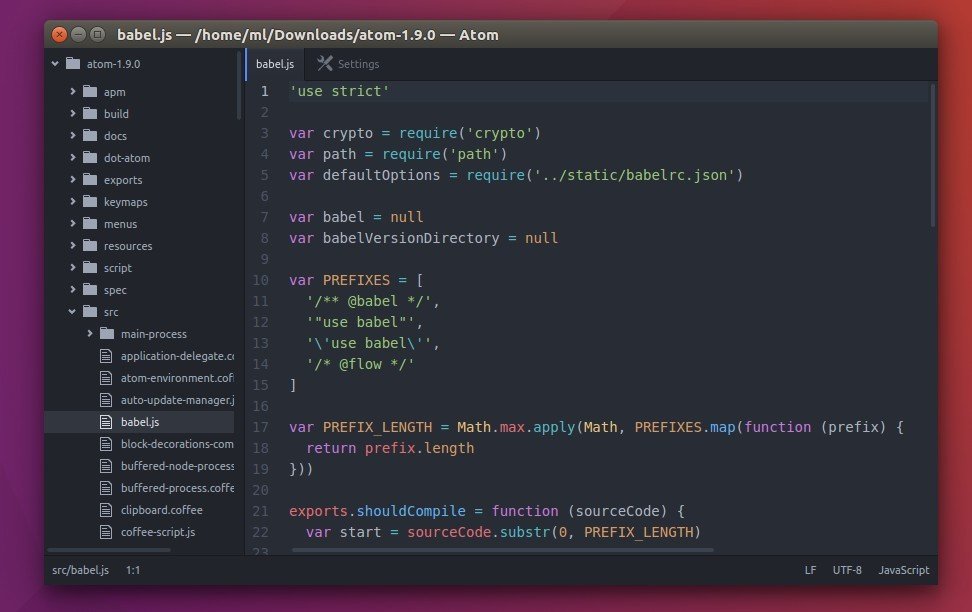
Atom is an open-source text editor designed to be deeply customizable, but still approachable using the default configuration. It’s a “hackable text editor for the 21st century”, built on Electron.

While Atom offers only 64-bit binary packages (.deb) for Ubuntu, here’s how to install Atom in both 32-bit and 64-bit of Ubuntu 16.04, 14.04, and keep it up-to-date by receiving the software updates via Software Updater utility.

Atom text editor feature:

  • Tweak its UI with CSS and add new features with HTML or Javascript
  • Node.js integration
  • Cross-platform support: Windows, Linux, and OS X.
  • A built-in package manager
  • Smart autocompletion
  • Split Atom interface into multiple panes
  • File system browser
  • Find and replace
  • Support themes

How to install Atom in Ubuntu via PPA:

Webupd8 Team is maintaining an unofficial PPA with most recent Atom packages for all current Ubuntu releases, and derivatives. While official Linux binary is 64-bit only, the PPA supports both 32-bit and 64-bit.

1. Add PPA

Open terminal (Ctrl+Alt+T) and run the command:

sudo add-apt-repository ppa:webupd8team/atom

Type in password when it prompts and hit Enter.

Atom PPA

2. Update and install Atom editor:

Update system package index and install the text editor via command:

경축! 아무것도 안하여 에스천사게임즈가 새로운 모습으로 재오픈 하였습니다.
어린이용이며, 설치가 필요없는 브라우저 게임입니다.
https://s1004games.com

sudo apt update; sudo apt install atom

install-atom-editor

Once Atom is installed and a new release is out in future, you can simply upgrade the editor by running regular system updates via Software Updater utility.

3. (Optional) To remove Atom text editor

To remove the software, use Synaptic Package Manager or just run apt command with remove flag:

sudo apt remove --purge atom

And the PPA can be remove via Software & Updates utility under Other Software tab.


[출처] http://tipsonubuntu.com/2016/08/05/install-atom-text-editor-ubuntu-16-04/


본 웹사이트는 광고를 포함하고 있습니다.
광고 클릭에서 발생하는 수익금은 모두 웹사이트 서버의 유지 및 관리, 그리고 기술 콘텐츠 향상을 위해 쓰여집니다.
번호 제목 글쓴이 날짜 조회 수
38 꼭 필요한 리눅스 명령어, file 졸리운_곰 2019.10.15 411
37 [Ubuntu 18.04] 원격 데스크톱 file 졸리운_곰 2019.02.23 331
36 Tasksel – Easily and Quickly Install Group Softwares in Debian and Ubuntu file 졸리운_곰 2018.10.14 296
35 How to Use the wget Linux Command to Download Web Pages and Files : 리눅스 wget으로 사이트 다운로드(저장) 졸리운_곰 2018.09.12 472
34 우분투 16.04 원격 데스크탑 설정 ubuntu 16.04 xrdp file 졸리운_곰 2018.08.12 495
33 Connect To Ubuntu 16.04 / 17.10 / 18.04 Desktop Via Remote Desktop Connection (RDP) With Xrdp file 졸리운_곰 2018.06.22 254
32 ubuntu 18.04 원격데스크톱 xrdp 그놈접속 : Ubuntu 18.04: Connect to GNOME desktop environment via XRDP file 졸리운_곰 2018.05.13 1442
31 MSI 외장그래픽 노트북에 Ubuntu 설치 : How to Install Ubuntu 16.04 on MSI GE62 6QC 졸리운_곰 2018.05.06 499
30 Ubuntu 16.04에서 Docker 설치 졸리운_곰 2018.05.04 351
29 Docker: Docker image which runs XRDP on Ubuntu 16.04 desktop file 졸리운_곰 2018.05.03 387
28 [리눅스 GUI 하드디스크 상태 모니터링 툴] GSmartControl - A GUI Tool to Check HDD/SSD Health on Linux file 졸리운_곰 2018.01.16 346
27 ubuntu xfce4 rdp에서 MS Code나 Atom 에디터가 안뜰때 졸리운_곰 2017.10.14 251
» Install Atom Text Editor in Ubuntu 16.04 (both 32&64bit) file 졸리운_곰 2017.10.14 305
25 우분투 서버 윈도우 원격접속(rdp) 설정 졸리운_곰 2017.10.14 431
24 우분투 서버 한글 설정 및 한글폰트 설치 졸리운_곰 2017.10.14 458
23 우분투(Ubuntu)에서 putty로 ssh 원격 접속 실패 해결 방법 file 졸리운_곰 2017.08.27 316
22 우분투 16.04 원격 데스크탑 설정 file 졸리운_곰 2017.07.08 559
21 Ubuntu에서 PATH 설정하기 졸리운_곰 2017.03.22 294
20 [Ubuntu] GUI를 통해 쉽고 빠르게 폴더 공유하기 file 졸리운_곰 2017.02.19 328
19 ubuntu 에서 compiz 화면루틴이 cpu rate 많이 (20%이상) 잡을 때 낮추는 법 졸리운_곰 2017.02.15 243
대표 김성준 주소 : 경기 용인 분당수지 U타워 등록번호 : 142-07-27414
통신판매업 신고 : 제2012-용인수지-0185호 출판업 신고 : 수지구청 제 123호 개인정보보호최고책임자 : 김성준 sjkim70@stechstar.com
대표전화 : 010-4589-2193 [fax] 02-6280-1294 COPYRIGHT(C) stechstar.com ALL RIGHTS RESERVED